Jooosi Icon
Omni Icon: Modern icon management solution for WordPress. Upload custom icons, use bundled icons, or access 200,000+ icons from Iconify
- Support rating
- 5 out of 5 stars. 5-star support
- Active installs
- 200+ Happy Users
- Total downloads
- 3,314+ Download & Counting
Made to do one job exceptionally well.
Useful software should make the work feel simpler. The interface stays focused while the details remain close when you need them.
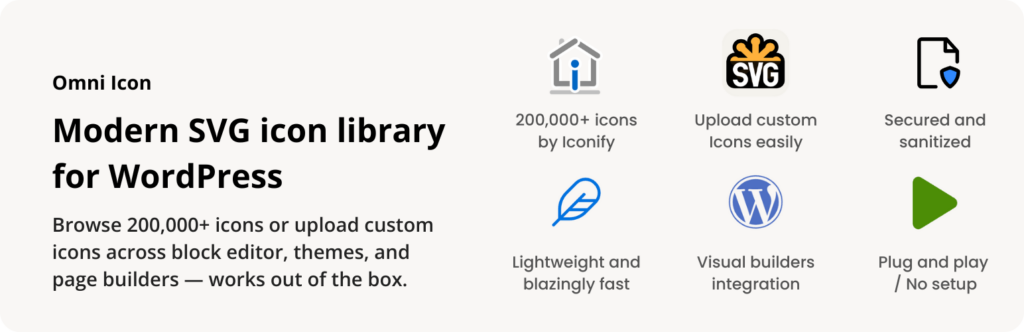
Omni Icon: Modern icon management solution for WordPress
Omni Icon is a comprehensive icon management solution that seamlessly integrates icons across the WordPress ecosystem. Upload custom icons, use bundled icons, or access 200,000+ icons from Iconify with support for Gutenberg, Elementor, Bricks, Breakdance, and LiveCanvas.
Features
Omni Icon is packed with features designed to make icon management effortless:
- Multi-source Icon System: Upload custom SVG icons, use pre-bundled icons, or access 200,000+ Iconify icons
- Icon Search & Discovery: Powerful search across all icon sources with intelligent caching
- Server-Side Rendering (SSR): Icons pre-rendered on server for instant display and optimal performance
- Smart Caching: Multi-layer caching (memory, filesystem, IndexedDB) for blazing fast load times
- Web Component: Use
<omni-icon>custom element anywhere in your theme or content - Secure: SVG sanitization prevents XSS attacks on uploaded icons
- Modern Architecture: Built with PHP 8.0+ attributes, Symfony DI, and auto-discovery
- Lightweight: Small footprint with lazy loading won’t slow down your site
Seamless Integration
Omni Icon works perfectly with the most popular visual/page builders:
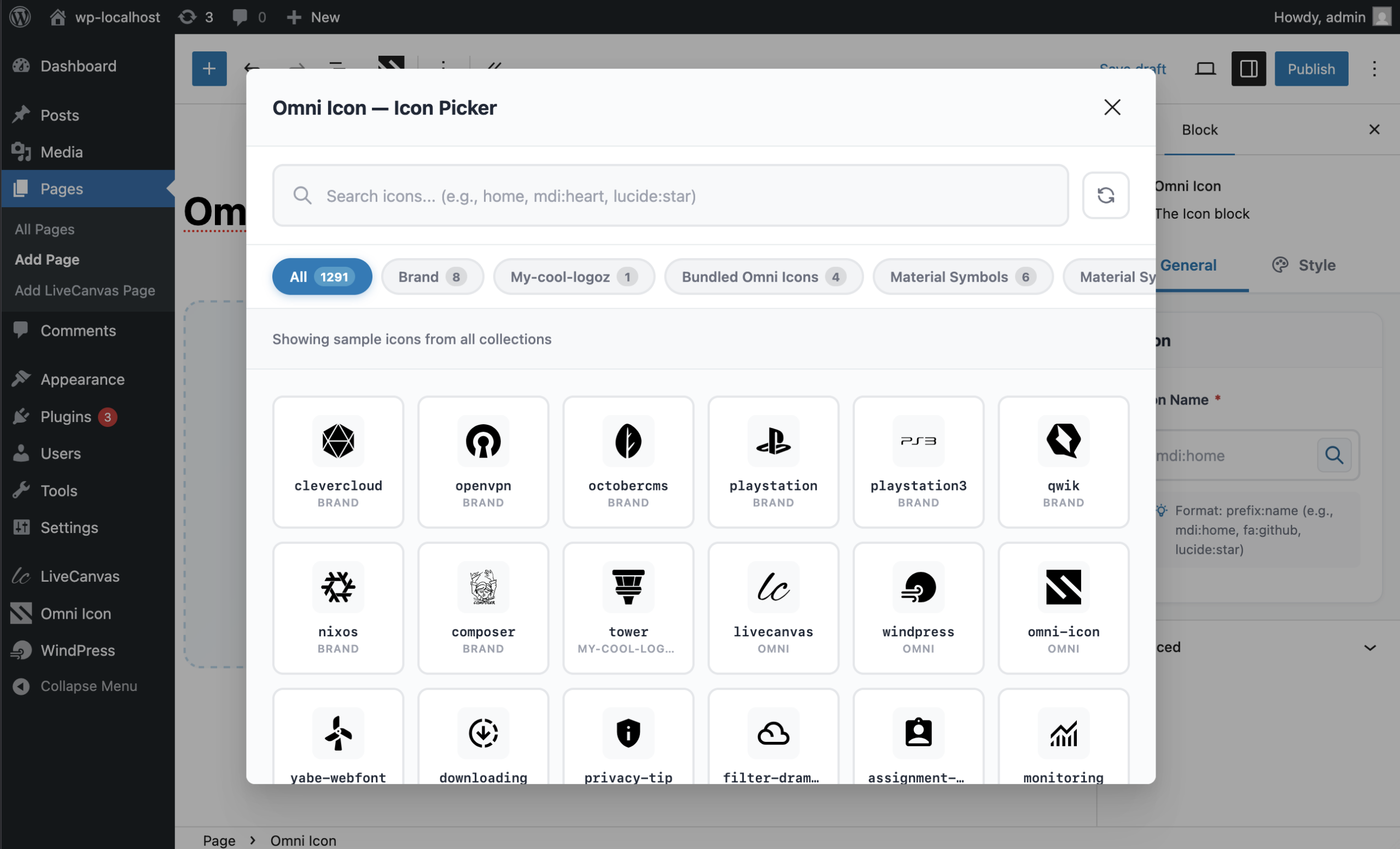
- Gutenberg / Block Editor — Custom Icon block with live preview
- Elementor — Native widget with Elementor controls
- Bricks — Native element with full theme compatibility
- Breakdance — Element Studio integration with SSR
- LiveCanvas — Custom block with panel controls
- Advanced Custom Fields (ACF) — Custom field type for icon selection
- Etch — Web Component with icon picker
- Divi 5 — Native module
- More integrations coming soon!
Icon Sources
Local Icons (Custom Uploads)
Upload your own SVG icons and organize them in custom sets. All uploads are sanitized for security.
Bundle Icons
Pre-packaged icons included with the plugin, including sponsor logos and commonly used icons.
Iconify Icons
Access to 150+ icon collections with 200,000+ icons including:
- Material Design Icons (mdi)
- Font Awesome (fa6-brands, fa6-regular, fa6-solid)
- Bootstrap Icons (bi)
- Hero Icons (heroicons)
- Lucide (lucide)
- And 150+ more collections
Browse available icons at Iconify
Usage
Web Component Usage
Use the <omni-icon> web component directly in your theme or content:
<omni-icon name="mdi:home"></omni-icon>
<omni-icon name="local:my-logo" width="64" height="64"></omni-icon>
<omni-icon name="fa6-solid:heart" color="#3b82f6"></omni-icon>
Performance & Security
- Lazy Loading: Web components loaded on-demand
- Multi-layer Caching: Memory → Filesystem → IndexedDB
- SSR Support: Icons pre-rendered on server for instant display
- SVG Sanitization: All uploaded SVGs sanitized to prevent XSS
- MIME Type Validation: Server-side validation of uploaded files
Credits
- Built with Symfony UX Icons
- Powered by Iconify
- SVG sanitization by enshrined/svg-sanitize
More than a download.
The product sits inside a complete customer experience, with the essentials kept together before and after launch.
Open your accountPractical documentation
Find the path from installation to everyday use without digging through unrelated material.
Product updates
Eligible plans keep access to new releases through a familiar WordPress update workflow.
Human support
When the documentation is not enough, your account gives you a direct route to the support team.
One account hub
Downloads, order history, subscriptions, and licenses stay organized in one customer workspace.
See what changed.
New features, refinements, and fixes—documented release by release.
- Current version
- v1.0.23
- Last updated
v1.0.23
Latest-
Fixed
Bricks element couldn't resolve the old `omni-icon` element type after the rename to `jooosi-icon`.
v1.0.22
-
Changed
Refresh the browser's persisted SVG cache when the icon cache is cleared or icons change.
-
Fixed
Keep `omni-icon.php` as a compatibility loader so upgrades from Omni Icon do not deactivate the plugin when the canonical entry file is renamed to `jooosi-icon.php`.
v1.0.21
-
Fixed
Include `composer.json` in release packages for runtime discovery.
v1.0.20
-
Added
Add the `jooosi-icon/service/icon:sources` filter for third-party icon sources.
-
Changed
Update WordPress compatibility to WordPress 7.1.
-
Changed
Rebrand the plugin, PHP namespace, assets, integrations, and web component to Jooosi Icon.
-
Changed
Move canonical uploaded-icon storage to `wp-content/uploads/jooosi-icon/` with automatic migration and a legacy-directory fallback.
-
Deprecated
Forward pre-rebrand filters and actions through WordPress deprecated-hook APIs.
-
Deprecated
Keep the former `omni:` icon prefix and `<omni-icon>` markup as compatibility aliases.
-
Fixed
Fix Breakdance element registration and icon picker rendering #7
-
Fixed
Fix Divi 5 module registration in scoped release builds #11
- Fixed
-
Fixed
Preserve uploaded SVG presentation attributes during client-side rendering #12
-
Fixed
Remove XML declarations from sanitized SVG output to avoid bogus HTML comments during client rendering
v1.0.19
-
Fixed
Resolve dynamic data tags in the Bricks Jooosi Icon element's Icon Name setting (WordPress.org support thread)
v1.0.18
-
Fixed
CSS stylesheets loaded as JS in builder integrations #9
Show 14 older versions
v1.0.17
-
Changed
Migrate the build system to `@nabasa/vp-wp` for improved performance and better WordPress integration
v1.0.16
-
Added
Divi 5 integration
-
Fixed
Release build Symfony DI ParameterBag scoping issue
v1.0.15
-
Changed
Update readme file
v1.0.14
-
Added
Etch integration
-
Changed
Increase webcomponent concurrent request limit from 4 to 16 for faster icon loading
-
Fixed
Missing assets entrypoint in Vite config for ACF integration
v1.0.13
-
Fixed
Redis compatibility issue
v1.0.12
-
Fixed
PHP 8.1 compatibility issues
v1.0.11
-
Added
Blueprint for WordPress.org plugin repository
v1.0.9
-
Changed
Update readme file
v1.0.7
-
Fixed
[ACF] Discovery compatibility issue
v1.0.4
v1.0.3
-
Fixed
WordPress.org plugin repository compliance fixes
v1.0.2
-
Added
Multiple and drag-and-drop icon upload support - upload multiple SVG files at once
-
Added
Multi-select icons with keyboard shortcuts (Ctrl/Cmd+Click, Shift+Click) and mouse drag area selection for bulk operations
v1.0.1
-
Fixed
WordPress.org plugin repository compliance fixes
v1.0.0
-
Added
🐣 Initial release.
Keep building with less friction.
Explore practical WordPress products designed to help you build, launch, and maintain better sites.
Jooosi Social Image
Design branded Open Graph, X/Twitter, and featured images in WordPress. Connect reusable templates to live content, control where…
Jooosi Mail
Jooosi Mail routes WordPress email through SMTP and popular transactional email providers, with queued delivery, provider failover, detailed…
WindPress
WindPress: the only Tailwind CSS v3 and v4 integration plugin for WordPress. WindPress is a platform agnostic Tailwind…
From the people using it.
Experiences and feedback from people working with Jooosi Icon.
-
★★★★★
Excellent plugin!
The icon library is huge and very well organized. It’s super easy to use and integrates into any project without complications. Highly recommended for speeding up your design workflow.
-
★★★★★
Thanks, this is awesome.
Thanks again.


Please log in to write a review. Log in
Frequently Asked Questions
Product-specific answers, kept close to the details that matter before choosing a plan.
Ask a different questionWhat icon sources does Jooosi Icon support?
Jooosi Icon supports three icon sources: 1. Local Icons – Upload your own custom SVG icons 2. Bundle Icons – Pre-packaged icons included with the plugin 3. Iconify Icons – Access to 200,000+ icons from 150+ collections.
How do I use icons in my theme?
You can use the `` web component directly in your theme templates. The component supports attributes like width, height, and color for customization.
Which page builders are supported?
Jooosi Icon currently supports: Gutenberg / Block Editor, Elementor, Bricks, Breakdance, LiveCanvas, Etch, and more coming soon. All integrations include icon picker modals for easy icon selection.
Are uploaded SVG icons safe?
Yes! All uploaded SVG files are sanitized using enshrined/svg-sanitize to prevent XSS attacks and security vulnerabilities.
Does Jooosi Icon require an internet connection?
For local and bundle icons, no internet connection is required. Iconify icons are fetched from the Iconify API and cached locally for optimal performance.
What is Server-Side Rendering (SSR)?
SSR means icons are pre-rendered on the server and sent as inline SVG in the HTML. This provides instant display without JavaScript required, improving performance and SEO.
Can I use Jooosi Icon with any WordPress theme?
Yes, Jooosi Icon is compatible with any WordPress theme. You can use the web component, Gutenberg block, or page builder integrations with any theme.
What 3rd Party services are used?
Jooosi Icon uses the Iconify API to fetch icons from its extensive icon collections.
Where can I find the source code for compiled/minified files?
The complete source code, including uncompiled versions of all JavaScript and CSS files in the `dist/` directory, is publicly available on GitHub: https://github.com/nabasa-dev/omni-icon/
Choose the plan that fits your workflow.
Start with what you need today. Every option is shown clearly, with no hidden product tier between you and the work.
Free
No charge
- Unlimited site activations
- 1 year of license validity
- Jooosi Icon product access
- Updates included with the plan
- Guides and product documentation