Jooosi Mail
Jooosi Mail routes WordPress email through SMTP and popular transactional email providers, with queued delivery, provider failover, detailed logs, and webhook feedback—all managed from your WordPress dashboard.
- Support rating
- 5 out of 5 stars. 5-star support
- Active installs
- 0+ Happy Users
- Total downloads
- 462+ Download & Counting
Made to do one job exceptionally well.
Useful software should make the work feel simpler. The interface stays focused while the details remain close when you need them.
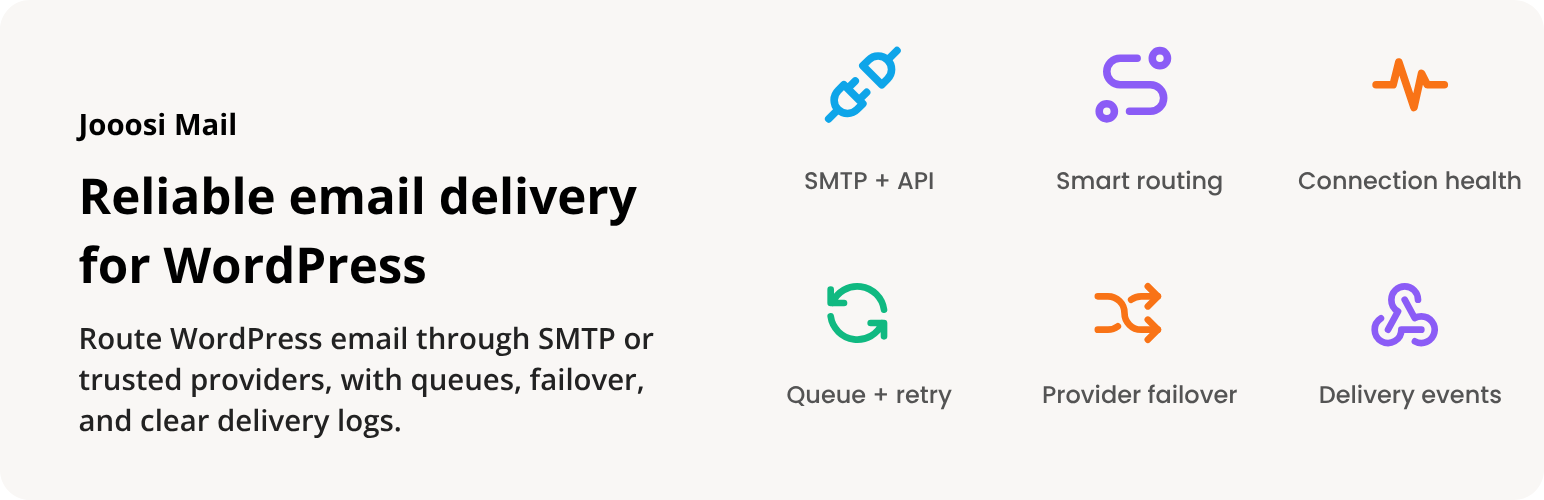
Jooosi Mail routes email from your WordPress site through the mail provider you choose. Connect SMTP or a supported email service, then manage delivery, logs, and provider feedback from one place.
Features
- Flexible provider connections: Use SMTP or available API transports for services such as Amazon SES, Brevo, Gmail, Mailgun, Mailjet, Postmark, Resend, SendGrid, SMTP2GO, and more. See the supported providers.
- Queued delivery: Queue messages during busy periods and process them with Action Scheduler.
- Provider failover: Fall back to another configured connection when a provider is unavailable.
- Email logs and connection health: Review sent, queued, and failed messages, and monitor connection status.
- Webhook feedback: For supported providers, receive delivery, bounce, complaint, open, and click events in WordPress.
- Test emails: Check a connection with a test email before relying on it.
Works with your WordPress email
Jooosi Mail routes standard wp_mail() calls. That means emails sent by WooCommerce, Contact Form 7, and other plugins that use WordPress mail can follow your configured delivery workflow.
Dashboard and WP-CLI
Manage connections from the WordPress dashboard or use WP-CLI for operations such as queue processing, migrations, and diagnostics.
Getting started
Install and activate Jooosi Mail, configure a provider connection, then send a test email. Jooosi Mail requires WordPress 7.0 or later and PHP 8.1 or later.
More than a download.
The product sits inside a complete customer experience, with the essentials kept together before and after launch.
Open your accountPractical documentation
Find the path from installation to everyday use without digging through unrelated material.
Product updates
Eligible plans keep access to new releases through a familiar WordPress update workflow.
Human support
When the documentation is not enough, your account gives you a direct route to the support team.
One account hub
Downloads, order history, subscriptions, and licenses stay organized in one customer workspace.
See what changed.
New features, refinements, and fixes—documented release by release.
- Current version
- v1.0.11
- Last updated
v1.0.11
Latest-
Added
SQLite database compatibility
v1.0.10
-
Fixed
Display queue attempt errors with readable quotes and addresses.
v1.0.9
-
Added
MailKite mail provider.
-
Added
PufferPost mail provider.
-
Added
TurboSMTP mail provider.
-
Added
Ability to resend emails from their logs without changing the original record.
-
Changed
Clarified transport-specific fields and disabled automatic credential reuse across schemes.
-
Fixed
Save the chart and table filters state in the browser and restore it on page reload.
-
Fixed
Updated Bird SMTP authentication and regional endpoints to match its current SMTP API.
-
Fixed
Queue processing and retries are more reliable, with clearer failure details.
v1.0.8
-
Changed
Lowered the minimum PHP version to 8.1.
v1.0.7
-
Changed
The minimum required PHP version has been updated to 8.3.0.
v1.0.6
-
Added
Jooosi Mail plugin is now available on the WordPress.org plugin repository.
-
Added
Blueprint for WordPress.org plugin repository.
Show 6 older versions
v1.0.5
-
Changed
Added direct terms and privacy policy links for supported email providers.
v1.0.4
-
Changed
Renamed the project from Omni Mail to Jooosi Mail.
v1.0.3
-
Changed
Update to address the WordPress.org submission review feedback.
v1.0.2
-
Fixed
Resolved WordPress Plugin Check reports across the codebase.
v1.0.1
-
Fixed
Resolved WordPress Plugin Check reports across the codebase.
v1.0.0
-
Added
🐣 Initial release.
Keep building with less friction.
Explore practical WordPress products designed to help you build, launch, and maintain better sites.
Jooosi Social Image
Design branded Open Graph, X/Twitter, and featured images in WordPress. Connect reusable templates to live content, control where…

Jooosi Icon
Omni Icon: Modern icon management solution for WordPress. Upload custom icons, use bundled icons, or access 200,000+ icons…
WindPress
WindPress: the only Tailwind CSS v3 and v4 integration plugin for WordPress. WindPress is a platform agnostic Tailwind…
From the people using it.
Experiences and feedback from people working with Jooosi Mail.
There are no published reviews yet. Be the first to share your experience.
Please log in to write a review. Log in
Frequently Asked Questions
Product-specific answers, kept close to the details that matter before choosing a plan.
Ask a different questionWhat does Jooosi Mail do?
Jooosi Mail routes email sent by WordPress through a mail connection you configure, then records delivery activity so you can review sent, queued, and failed messages.
Which email providers does Jooosi Mail support?
It supports SMTP and many popular email services, including Amazon SES, Gmail, Brevo, Mailgun, Mailjet, Postmark, Resend, SendGrid, SMTP2GO, and more. Available sending methods vary by provider.
Will it work with WooCommerce, contact forms, and other plugins?
Yes. Jooosi Mail routes standard WordPress wp_mail() calls, so WooCommerce, Contact Form 7, and other plugins that use wp_mail() can send through your configured connection.
Can Jooosi Mail queue messages or switch to a backup provider?
Yes. It supports queued delivery through Action Scheduler and can fall back to another configured connection when a provider is unavailable.
Can I track delivery status and bounces?
Email logs show sent, queued, and failed messages. If you enable webhooks for a supported provider, it can also report delivery, bounce, complaint, open, and click events to WordPress.
What email data is sent to my provider?
When WordPress sends an email through a connection you configure, the provider receives the message content, recipient and sender addresses, headers, and any attachments. Jooosi Mail does not send email data independently.
What do I need to install Jooosi Mail?
Jooosi Mail requires WordPress 7.0 or later and PHP 8.1 or later. Install and activate it from WordPress.org, configure a mail connection in your WordPress dashboard, then send a test email.
Choose the plan that fits your workflow.
Start with what you need today. Every option is shown clearly, with no hidden product tier between you and the work.
Free
No charge
- Unlimited site activations
- Lifetime license validity
- Jooosi Mail product access
- Updates included with the plan
- Guides and product documentation