Zion Builder is a WordPress plugin that aims to be the fastest, most performant, and most flexible website builder available. It is a tool that allows you to create high-performance websites that load fast both in the back-end and front-end.
Using custom fonts in the Zion Builder#
Jooosi Fon allows you to use Custom Font, embedding Adobe Fonts or self-hosting Google Fonts in the Zion Builder with less effort.
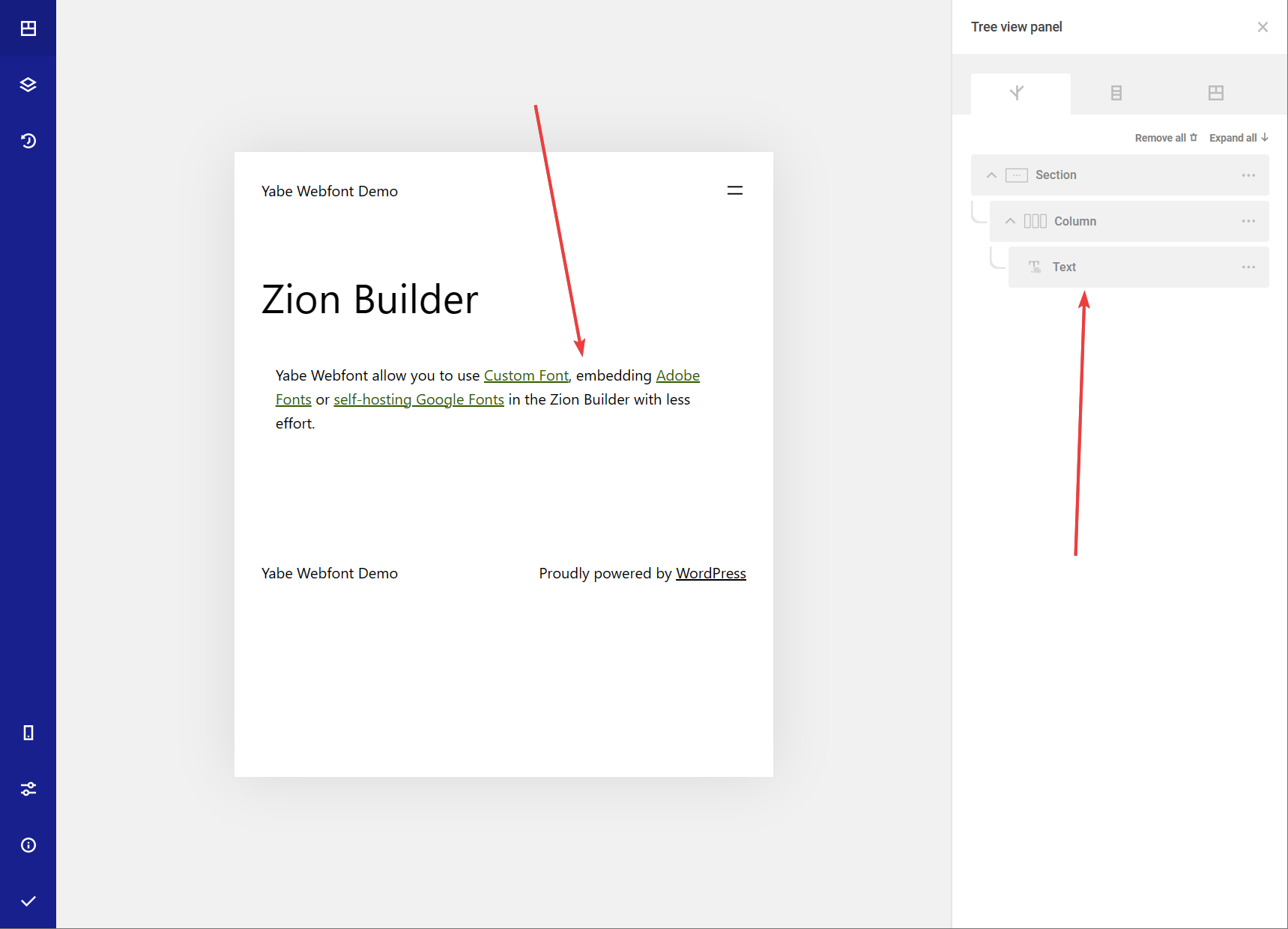
Step 1: Choose the text element#
Choose the text element by clicking on the canvas or the Tree view panel.
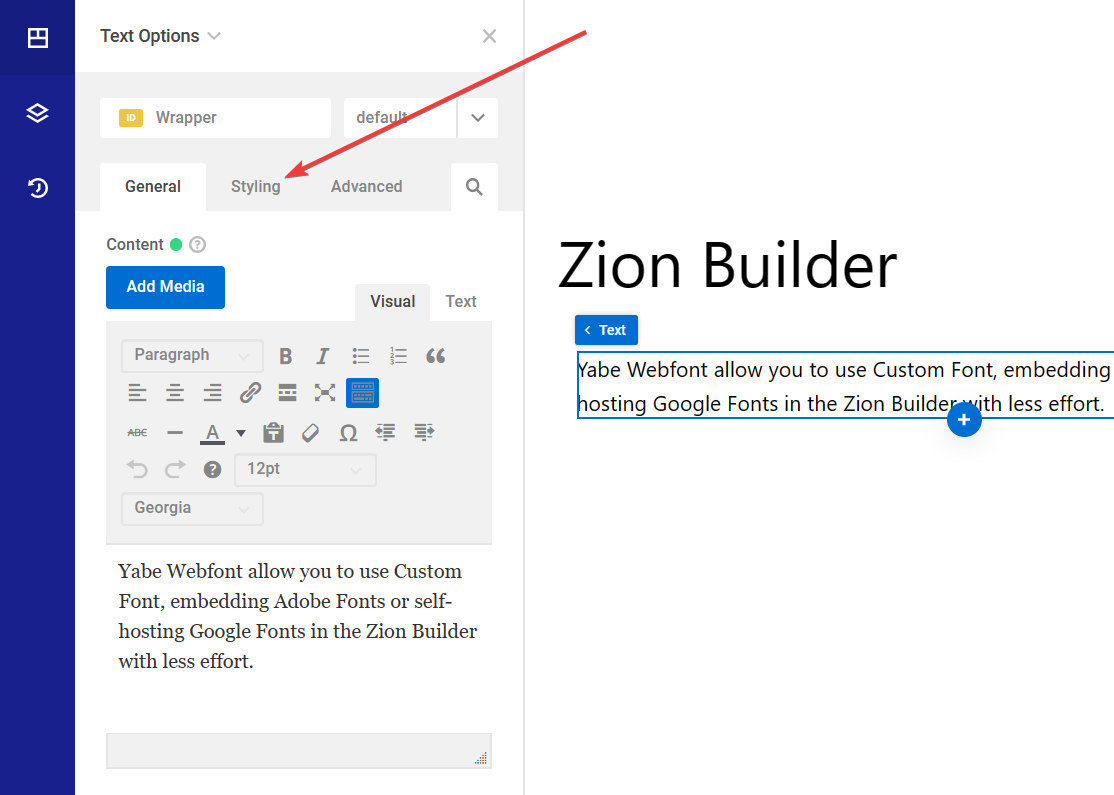
Step 2: Switch to the Styling tab#
Click on the Styling tab to switch to the Styling tab.
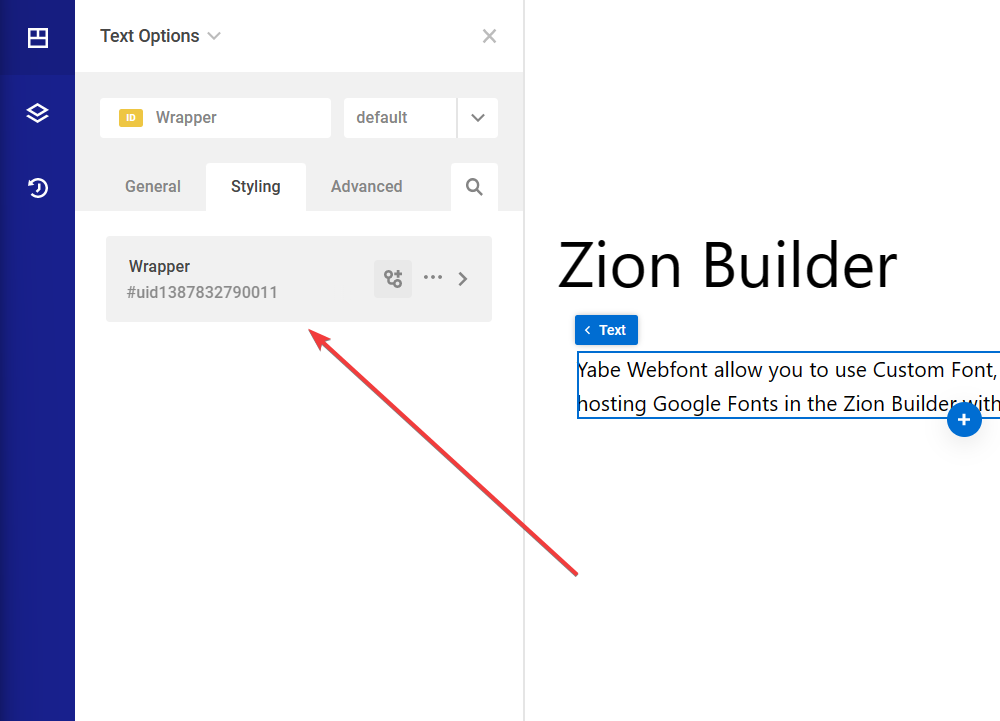
Step 3: Choose the selector#
Choose the selector you want to apply the font to.
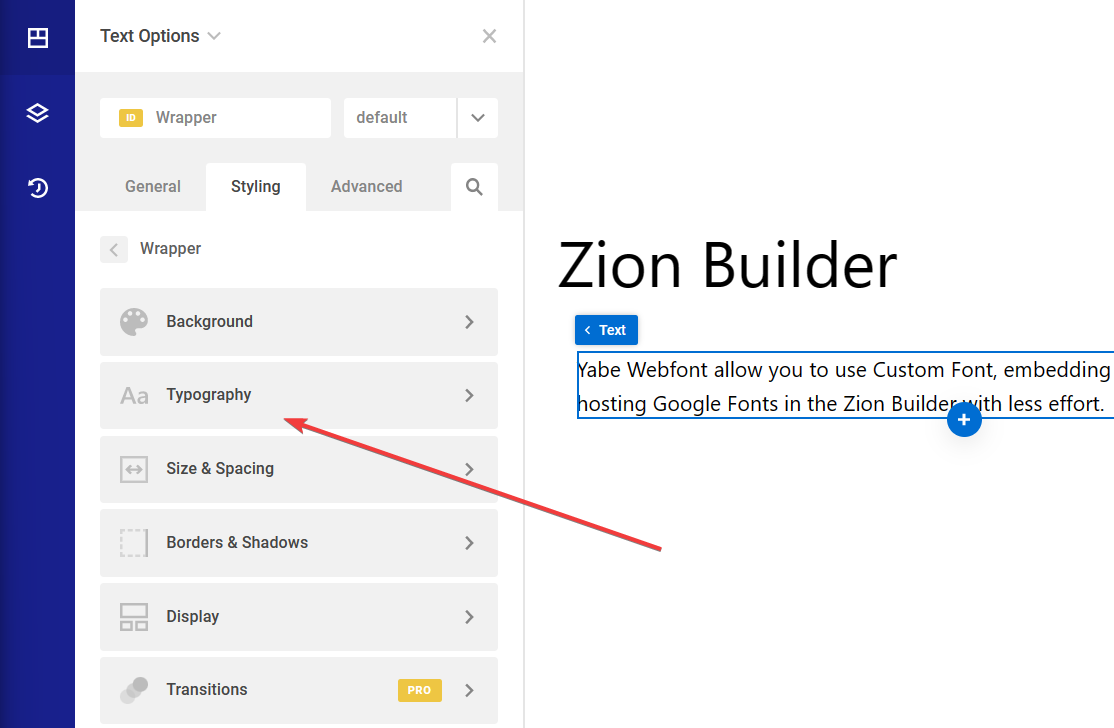
Step 4: Open the Typography setting#
Click the Typography menu to open the Typography setting.
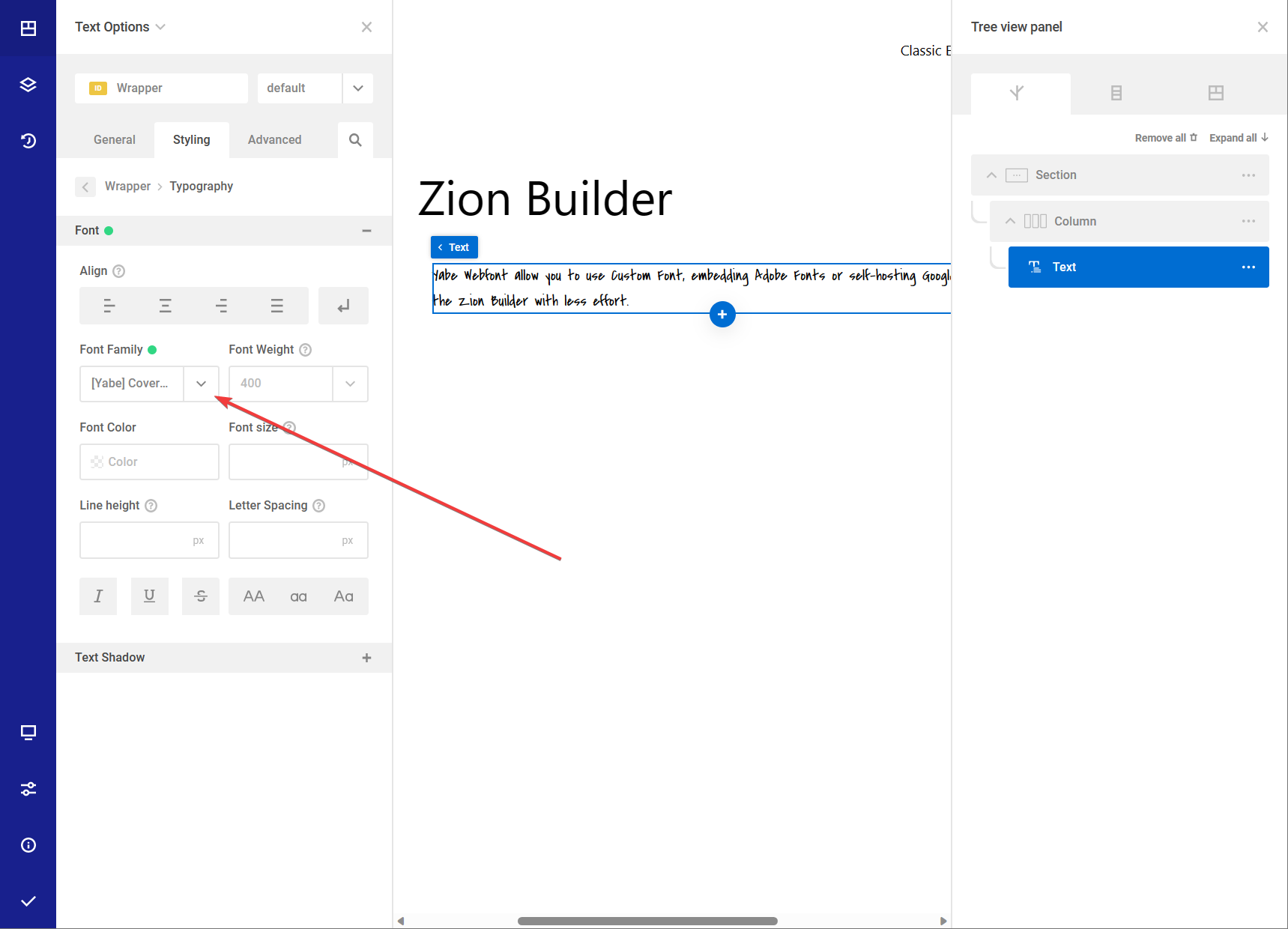
Step 5: Choose the font#
Click the Font Family dropdown list to open the font list.