GeneratePress is a lightweight WordPress theme that focuses on speed, stability, and accessibility.
GenerateBlocks is a small collection of lightweight WordPress blocks that can accomplish nearly anything.
Jooosi Fon is fully featured and working great with GeneratePress & GenerateBlocks. The built-in integration gives you the native experience of using custom fonts in GeneratePress & GenerateBlocks.
You can use any Custom Font, embedding Adobe Fonts or self-hosting Google Fonts in the GeneratePress & GenerateBlocks.
Supported versions
We at Jooosi Fon have taken efforts to ensure compatibility with various versions of GeneratePress and GenerateBlocks. The following versions are currently supported:
- GeneratePress
3.1.0or later. - GenerateBlocks
1.8.0or later.
Using custom fonts in the GeneratePress#
Step 1: Typography menu#
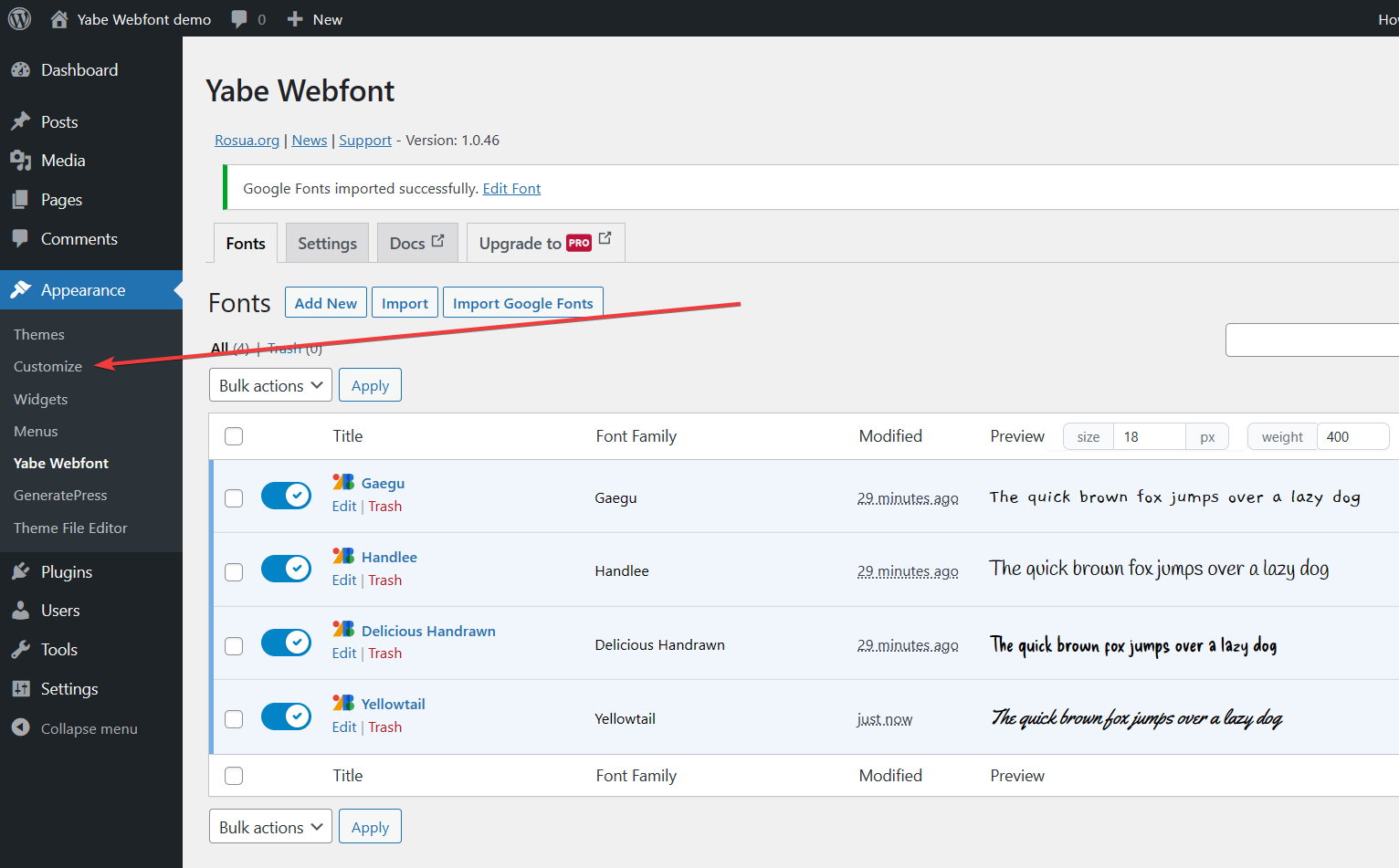
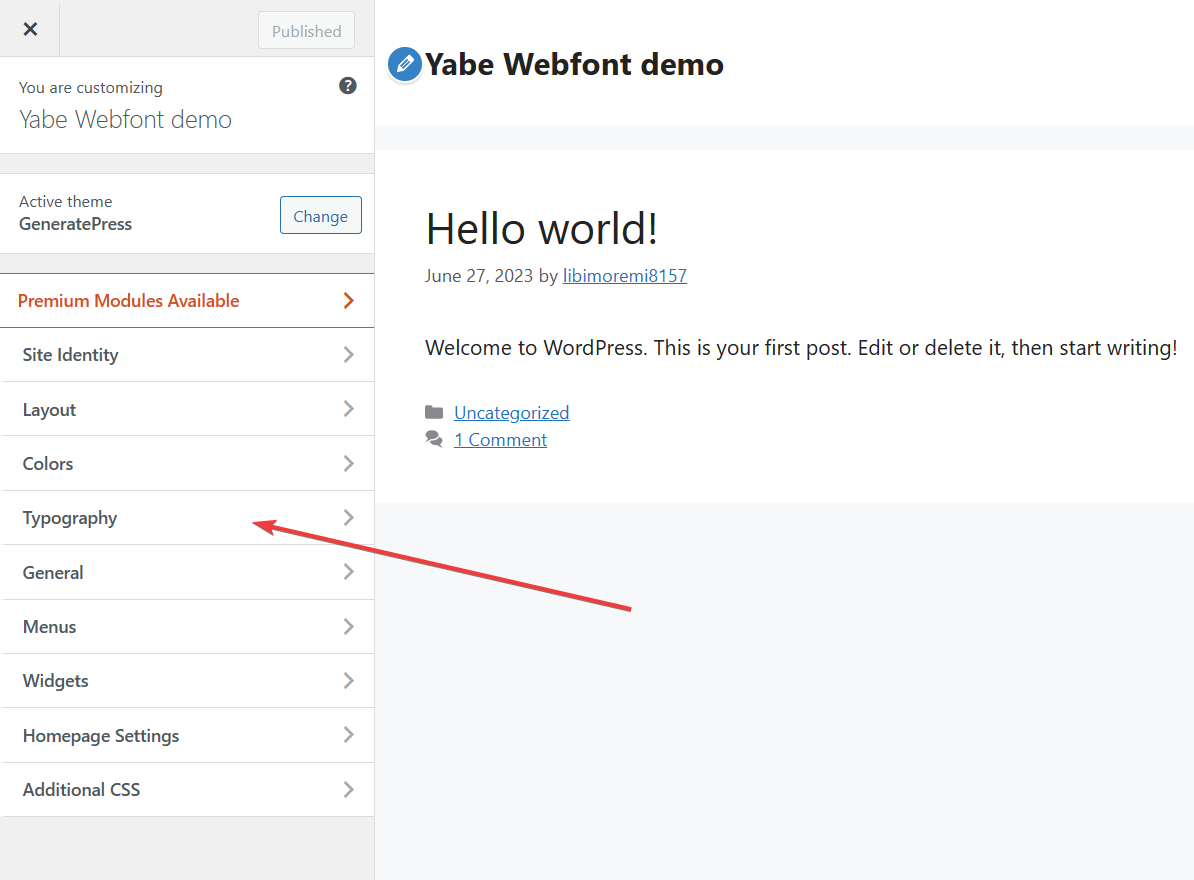
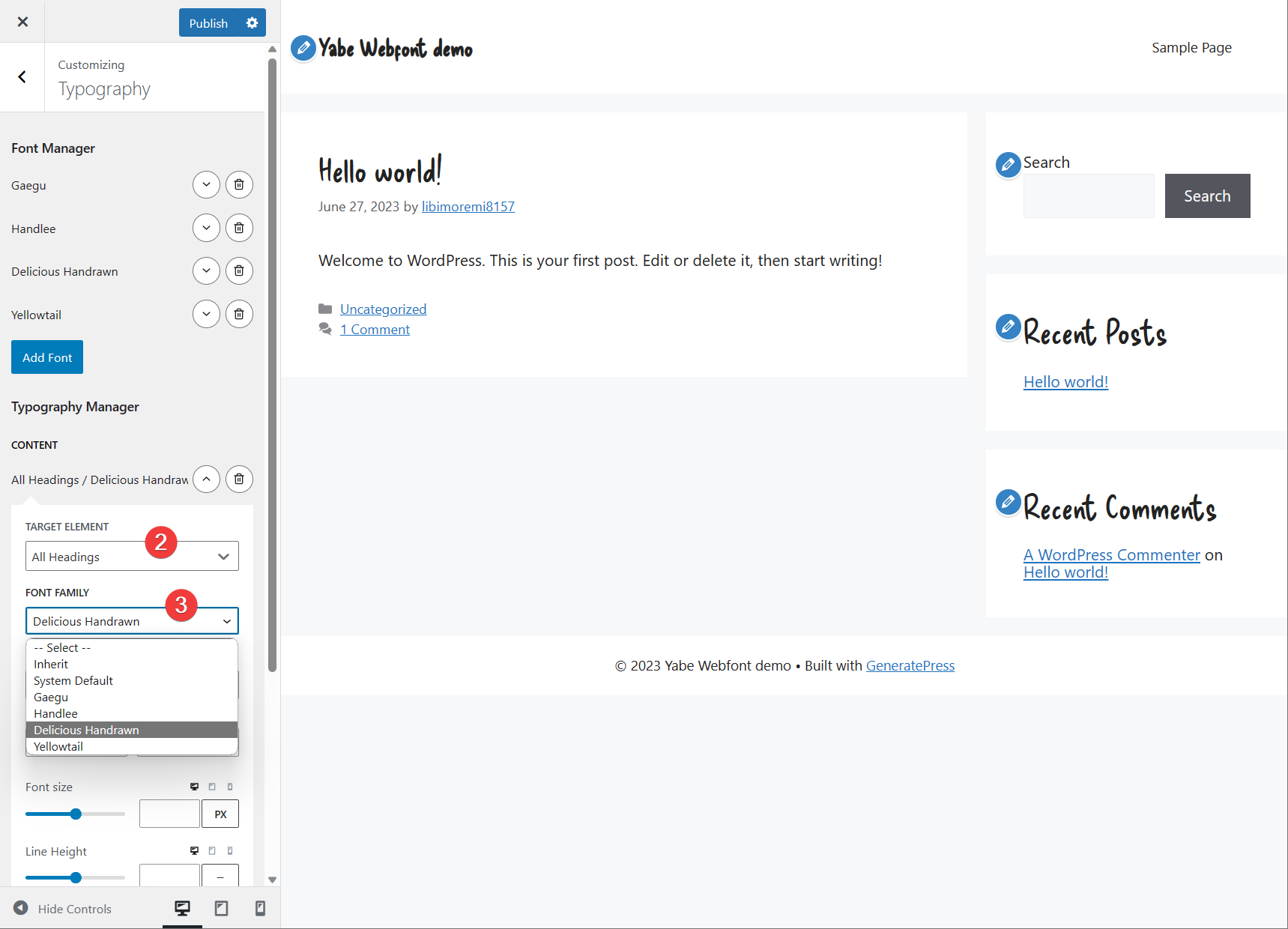
From the WordPress admin panel, navigate to Appearance > Customize to open the Customizer. Then click the Typography menu to expand the panel.
Step 2: Font Manager#
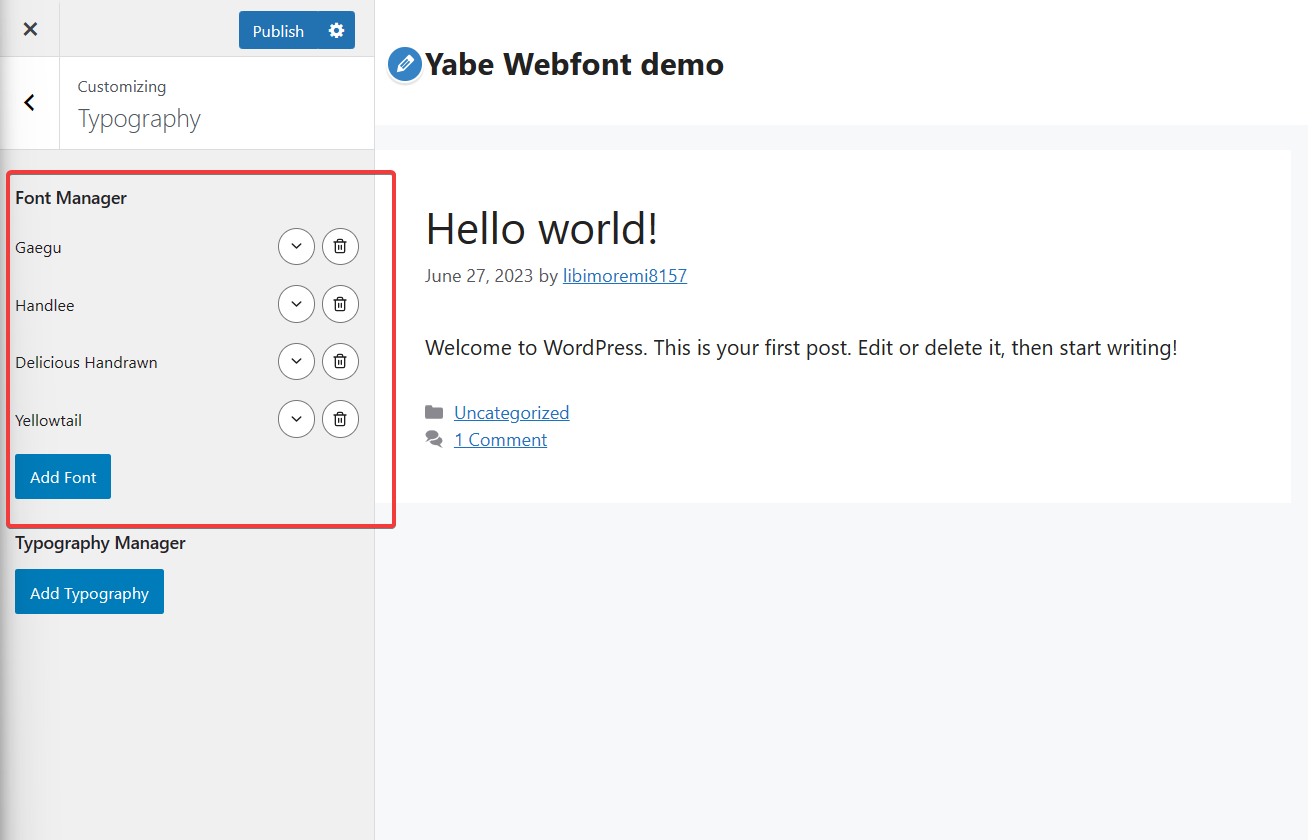
Jooosi Fon has a built-in integration with the GeneratePress theme, so you didn't need to add the font manually. Let's move to the next step.
Step 3: Typography Manager#
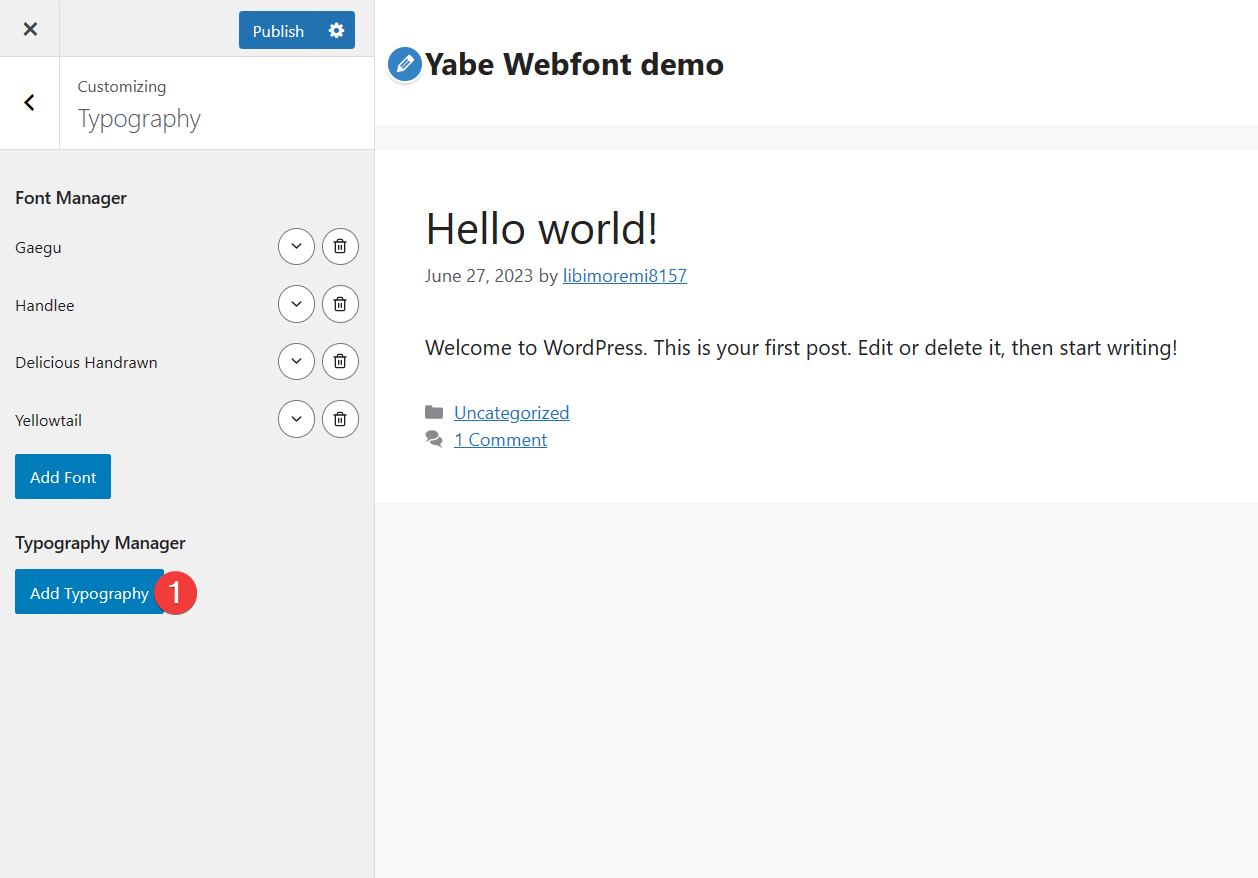
Assign the font to the desired element.
- Click the Add Typography button.
- Choose the target element on the Target Element dropdown field.
- Choose your font on the Font Family dropdown list.
Using custom fonts in the GenerateBlocks#
Jooosi Fon has a built-in integration with the GenerateBlocks v1.8.0 or later.
Step 1: Open the Block setting panel#
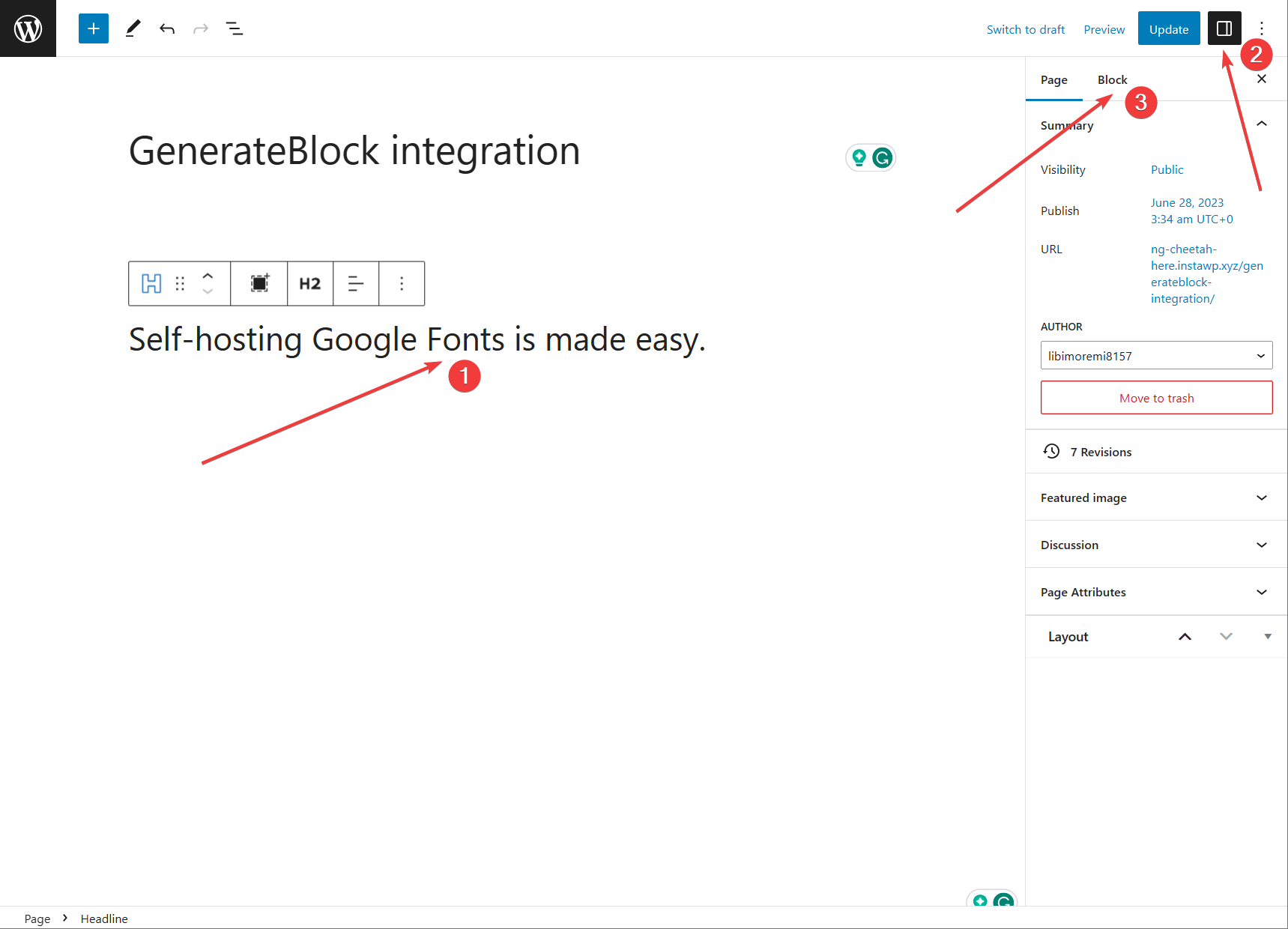
- Choose the GenerateBlocks' block on the Gutenberg editor's canvas
- Then click the
icon on the top right corner of the screen - And switch to the Block tab.
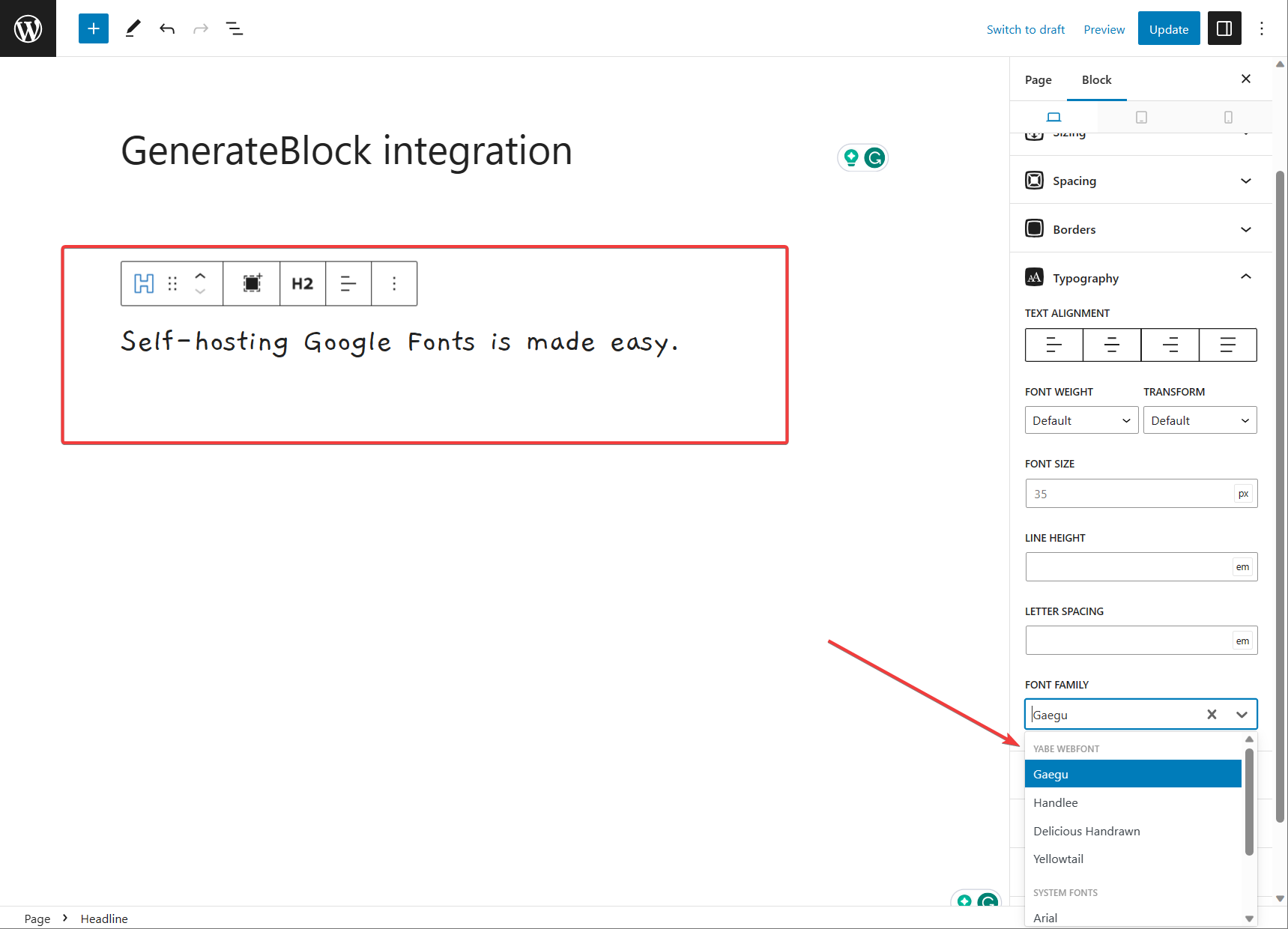
Step 2: Select the font family#
Expand the Typography section and choose your font on the Font Family dropdown list under the Jooosi Fon category.
The block you have selected will be updated immediately.
Disable the Google Fonts in GeneratePress and GenerateBlocks#
GeneratePress and GenerateBlocks use the Google Fonts Web API to provide users with the Google Fonts collection. To be GDPR compliant, you must disable the Google Fonts in GeneratePress and GenerateBlocks.
Jooosi Fon forcibly programmatically disables the Google Fonts in GeneratePress and GenerateBlocks, so you don't need to do anything.