Cwicly is an advanced professional design & block toolkit that integrates directly with the WordPress editor.
Jooosi Fon is the pioneer of 3rd-party solutions for custom fonts and self-hosting Google Fonts in the Cwicly.
How to use custom fonts in the Cwicly#
You can use any Custom Font, embedding Adobe Fonts or self-hosting Google Fonts in the Cwicly easily.
Step 1: Choose the text element#
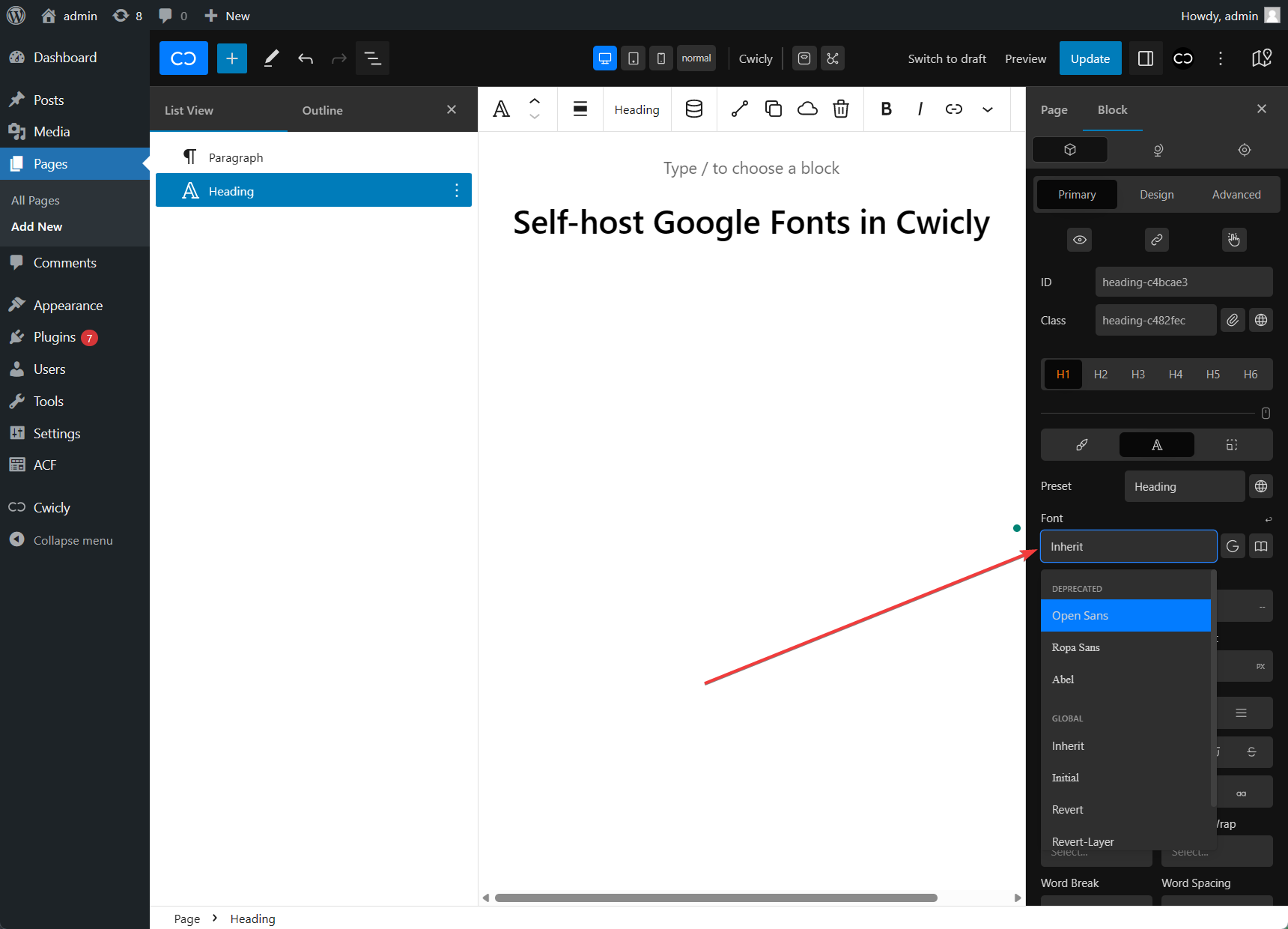
Choose the text element by clicking on the canvas or the List View panel.
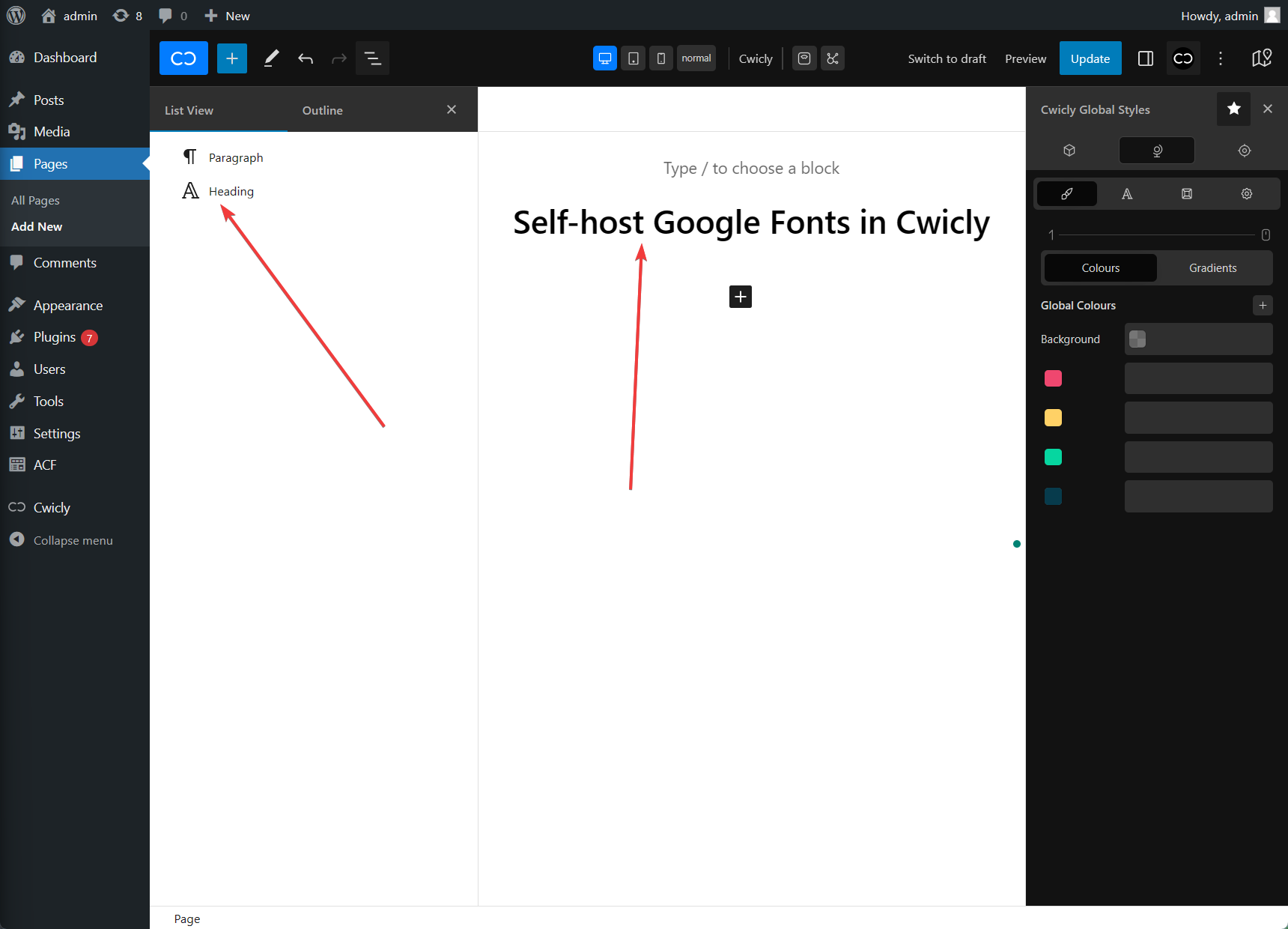
Step 2: Switch to the Typography tab#
On the Element panel, click on the
Step 3: Disable the Google Fonts in Cwicly#
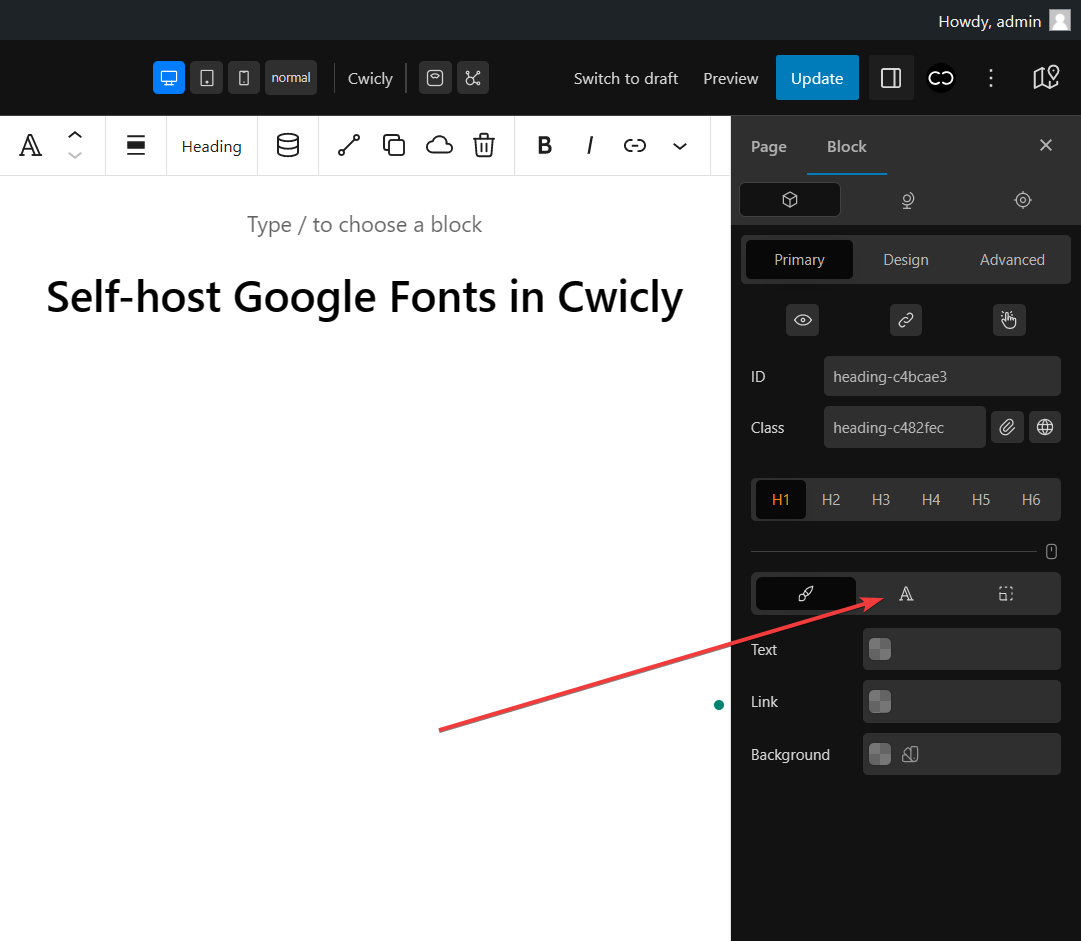
Cwicly uses the Google Fonts Web API to provide users with the Google Fonts collection. To be GDPR compliant, you must disable the Google Fonts in Cwicly.
Ensure that the
Step 4: Choose the font#
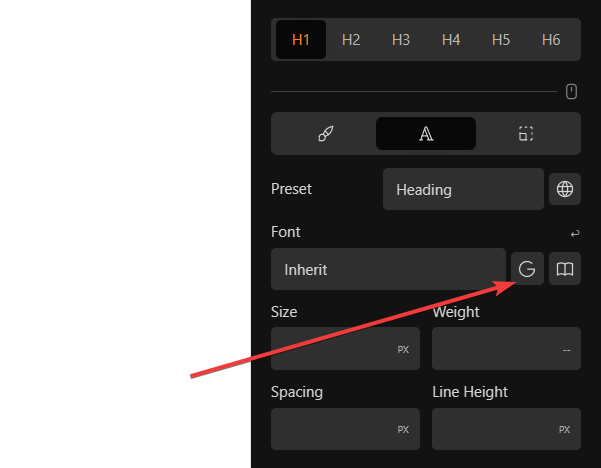
Click the Font dropdown field to open the list, and select the font family from the Local Fonts or Deprecated group list.