Breakdance is the ultimate website builder plugin for WordPress that makes it easy to create incredible websites with 130+ built-in elements, a modern UI and workflow, mega menu builder, form builder, a deep WooCommerce integration, dynamic data, and much more.
Jooosi Fon is the pioneer of 3rd-party solutions for custom fonts and self-hosting Google Fonts in the Breakdance.
How to use custom fonts in the Breakdance#
You can use any Custom Font, embedding Adobe Fonts or self-hosting Google Fonts in the Breakdance easily.
Step 1: Choose the text element#
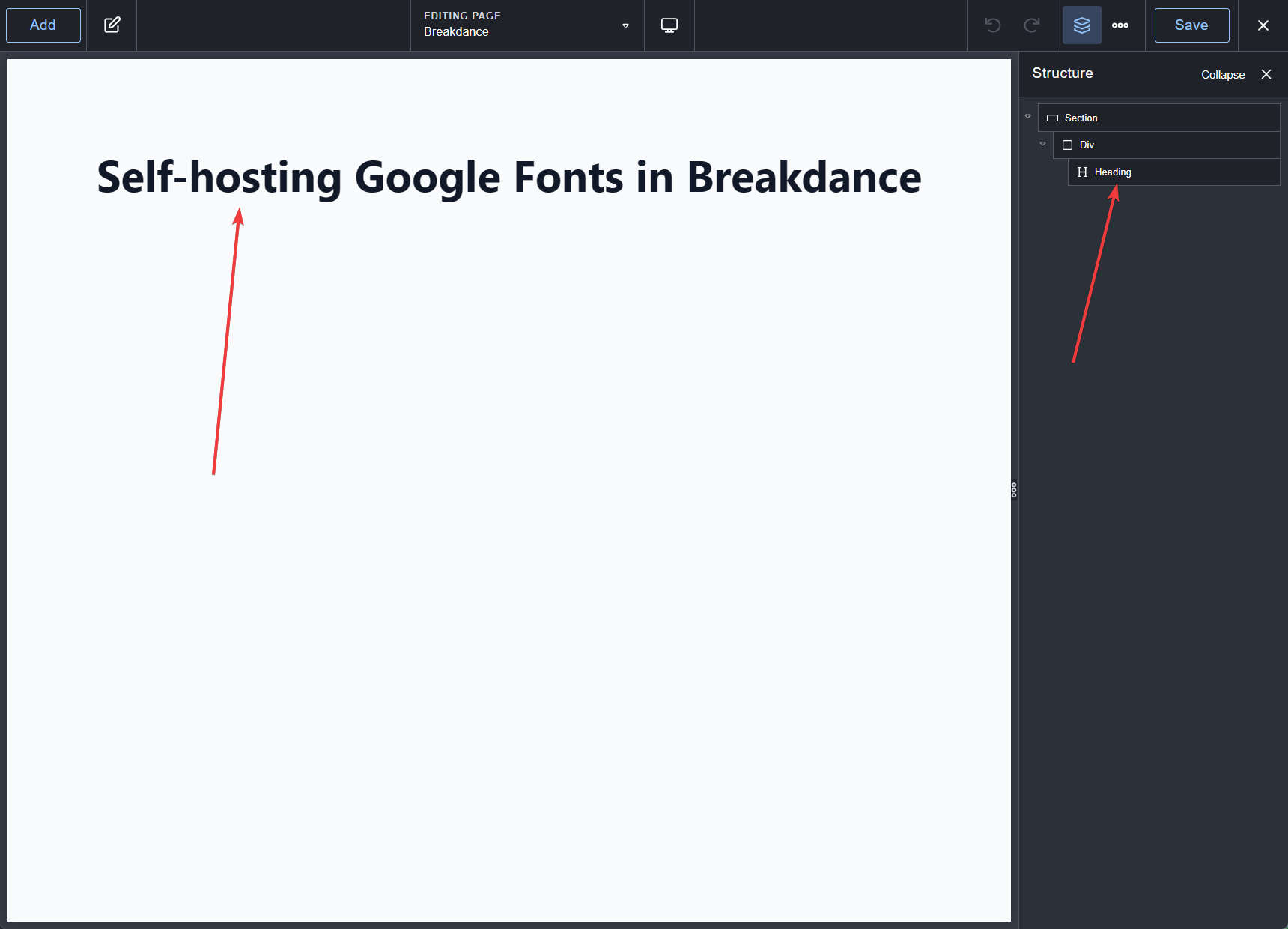
Choose the text element by clicking on the canvas or the Structure panel.
Step 2: Switch to the Style tab#
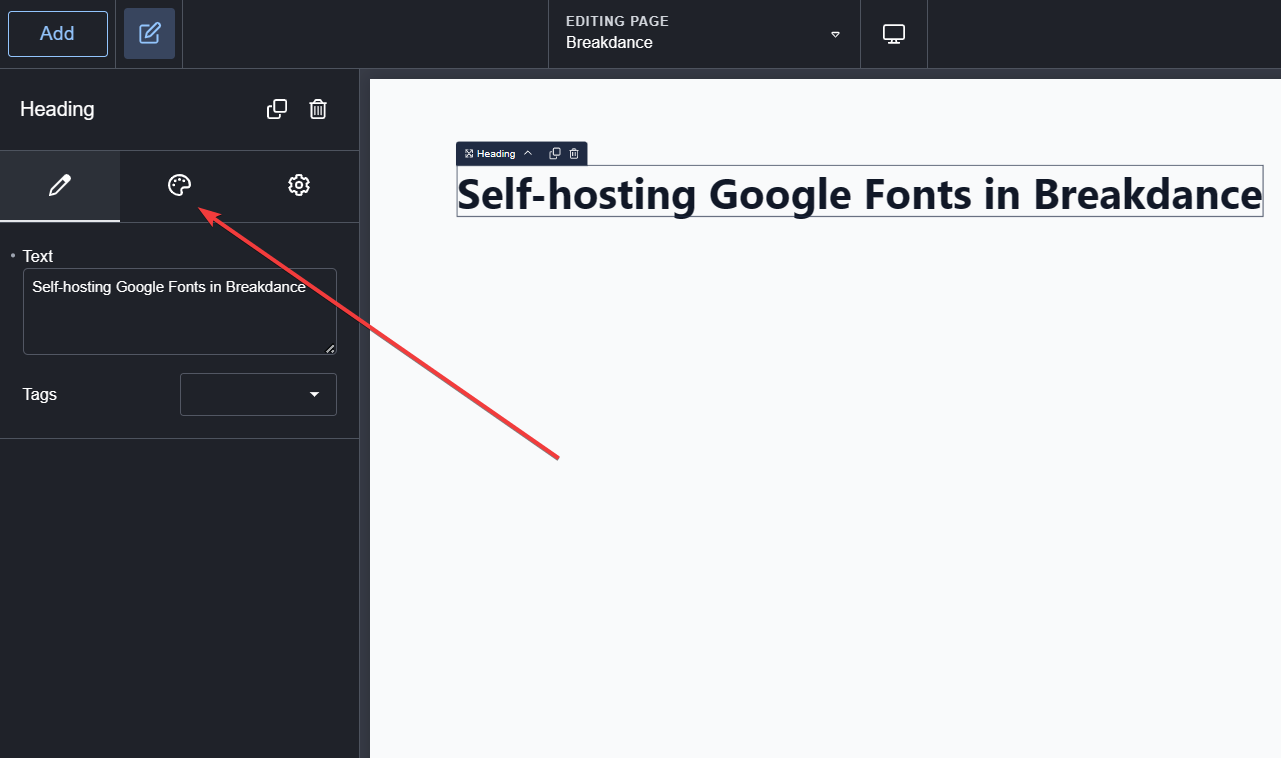
On the Element panel, click on the
Step 3: Open the Typography panel#
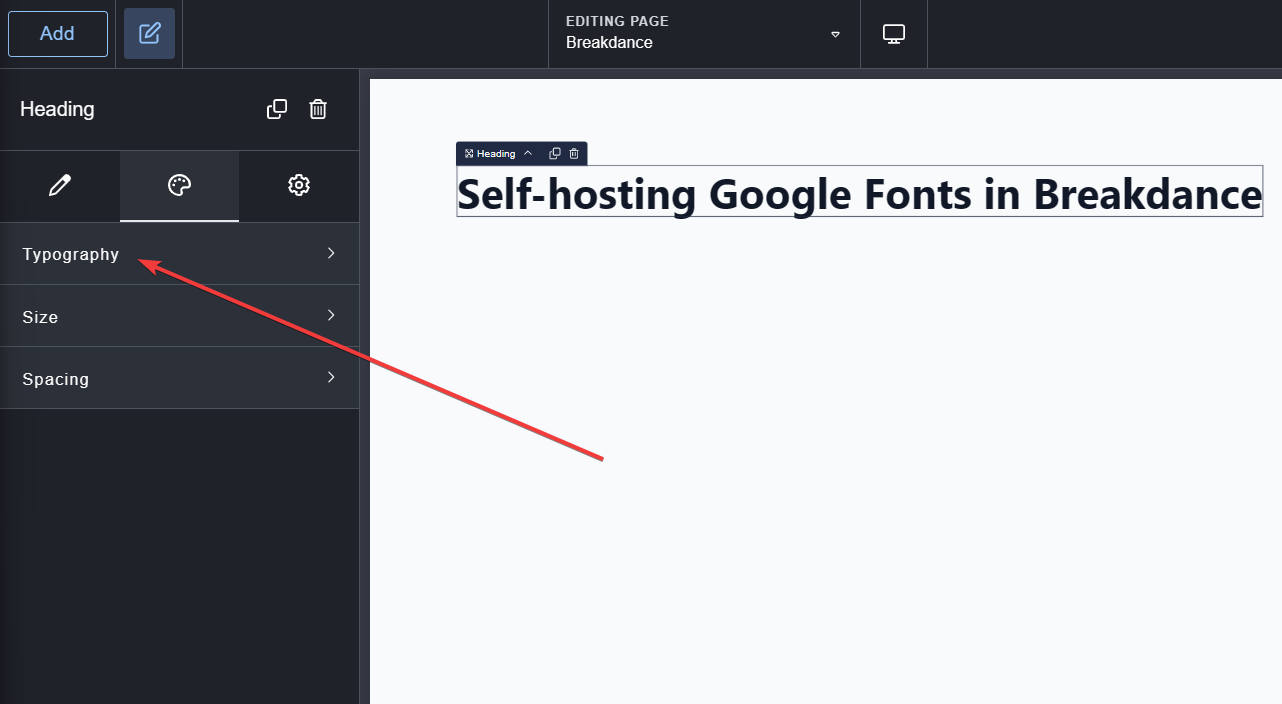
Click the Typography menu to expand the panel.
Step 4: Choose the font#
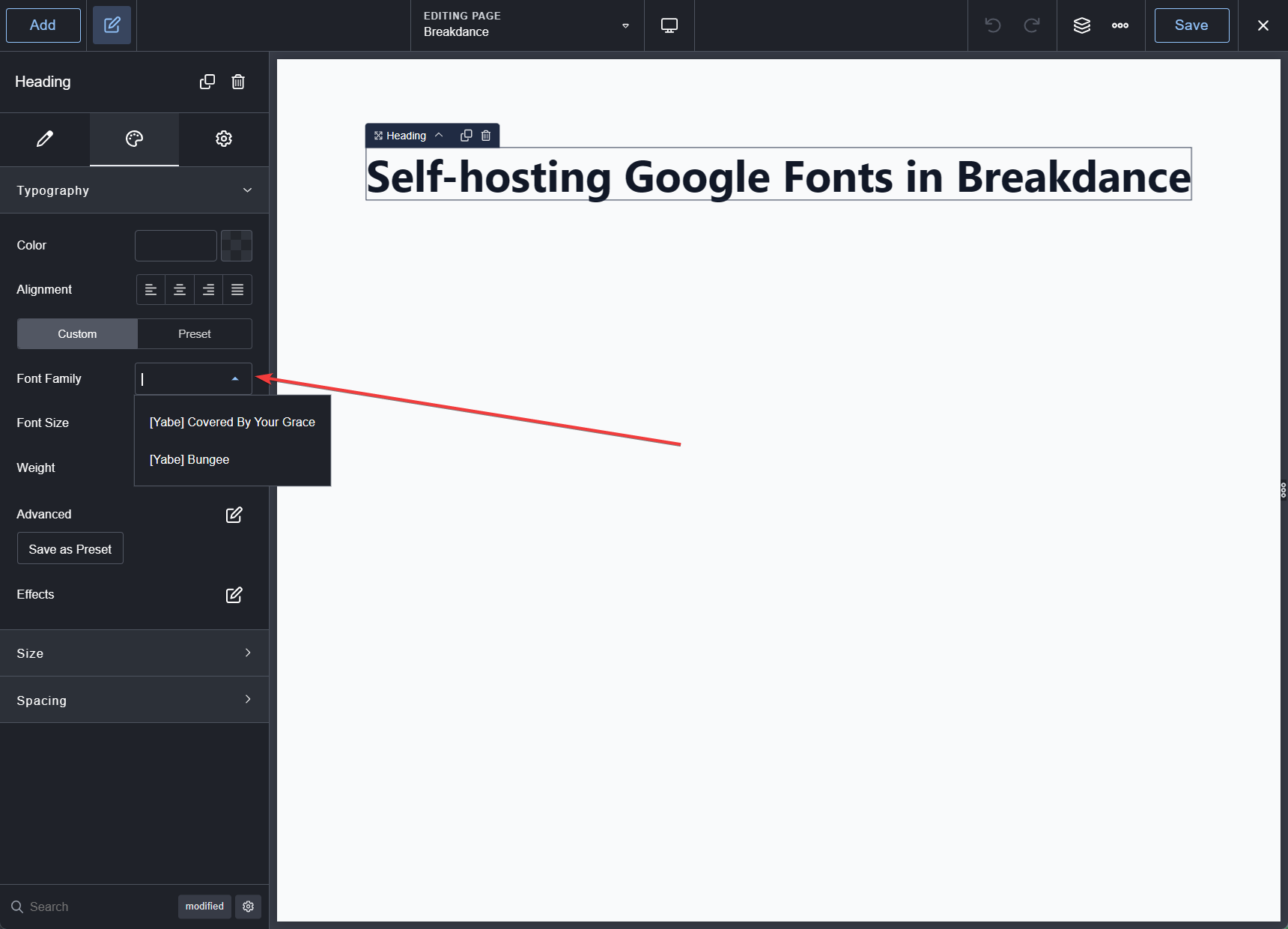
Click the Font family dropdown field to open the font list.
Disable the Google Fonts in Breakdance#
Breakdance uses the Google Fonts Web API to provide users with the Google Fonts collection. To be GDPR compliant, you must disable the Google Fonts in Breakdance.
Jooosi Fon forcibly programmatically disables the Google Fonts in Breakdance, so you don't need to do anything.