The future of content and visual editing in WordPress is Gutenberg. Gutenberg is the new default WordPress editor. It is a block-based editor that allows you to create content with much flexibility.
Using custom fonts in the Block editor#
In the Gutenberg editor, you can use any fonts you have added to Jooosi Fon.
Step 1: Open the Block setting panel#
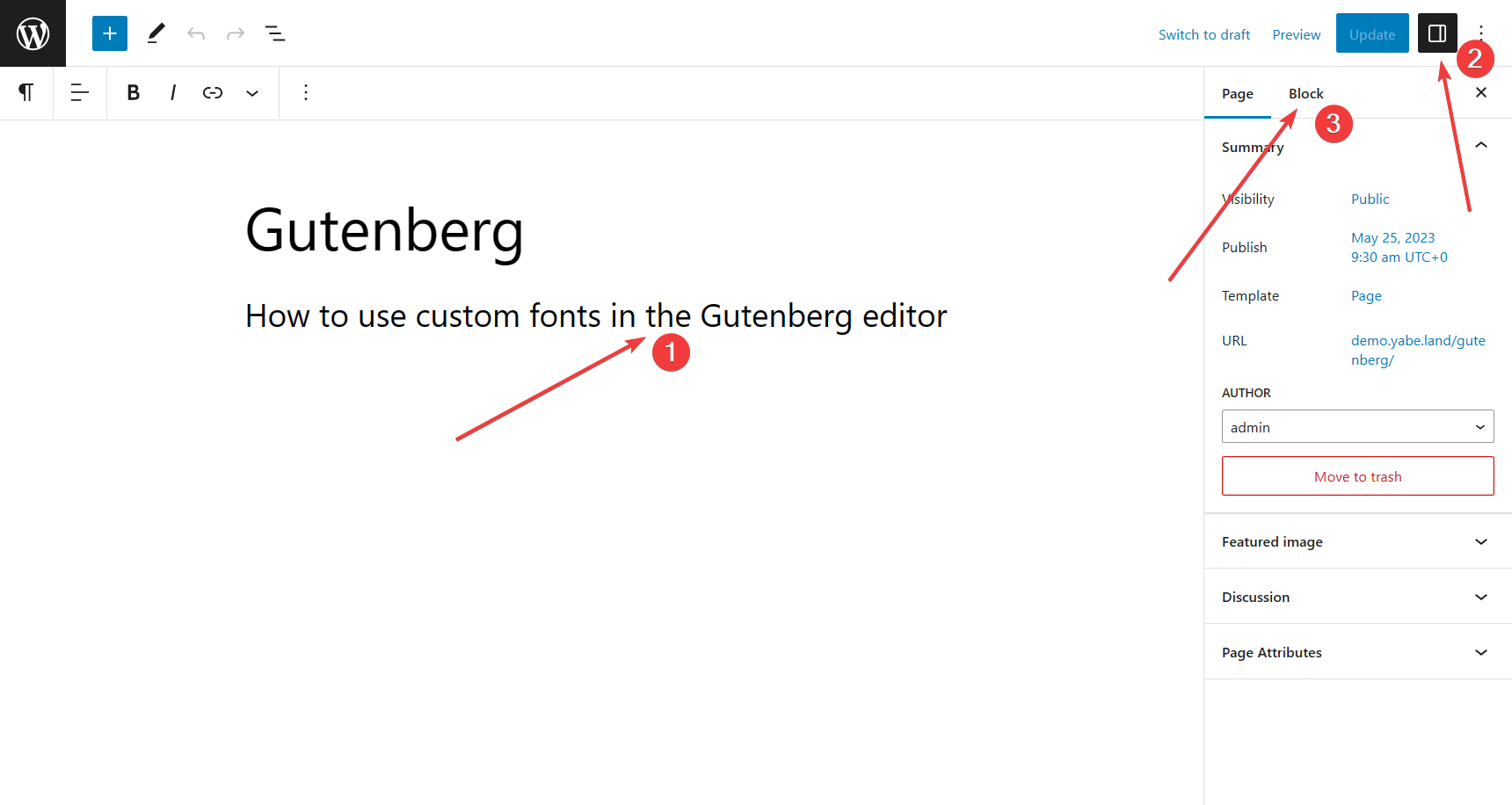
- Choose the blocks on the Gutenberg editor's canvas
- Then click the
icon on the top right corner of the screen - And switch to the Block tab.
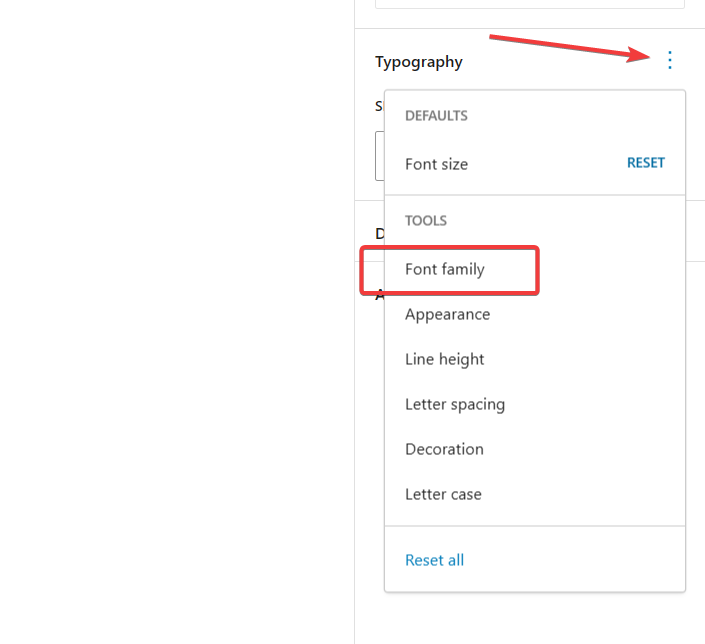
Step 2: Enable the Font Family tools#
Click the
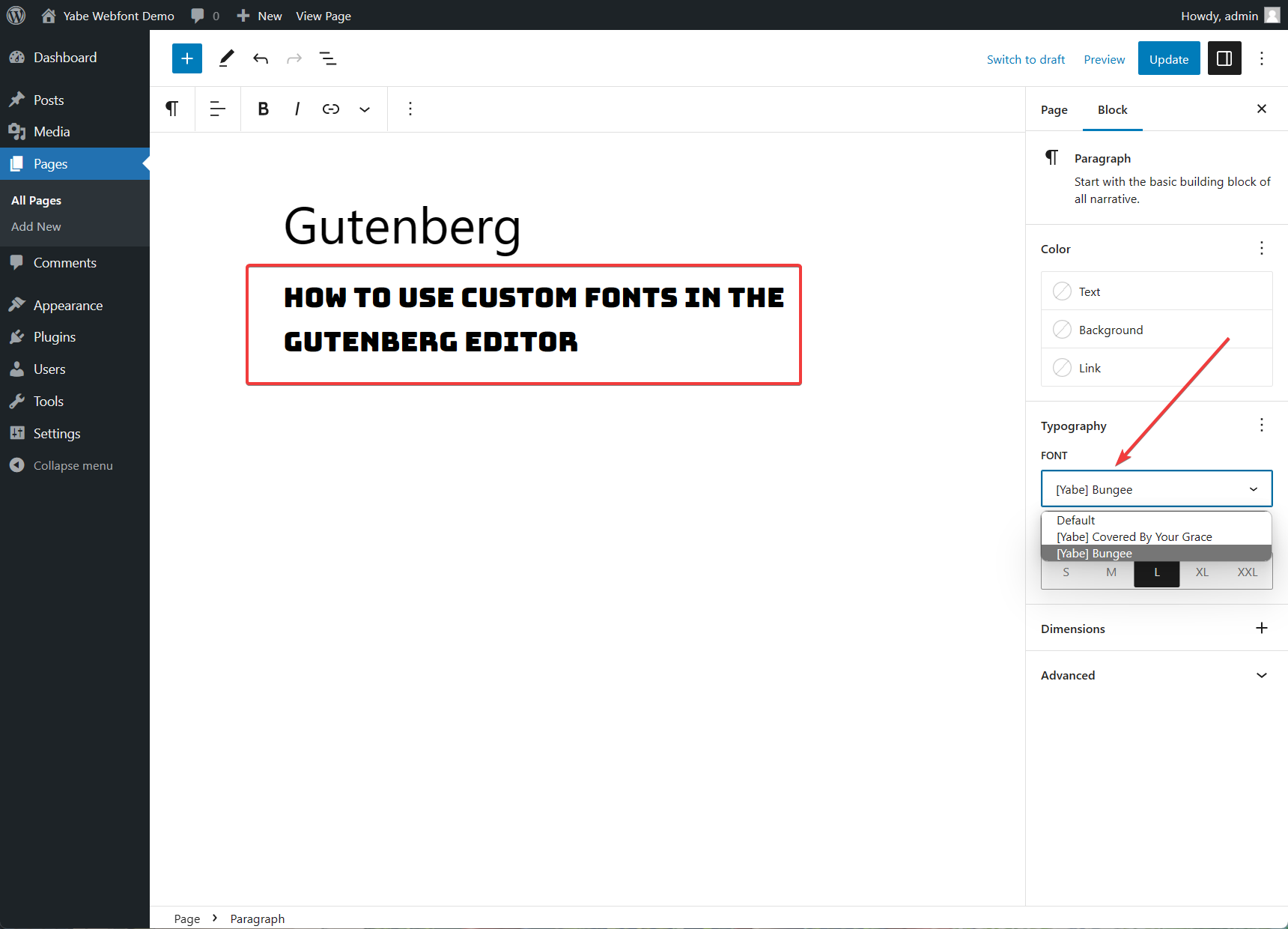
Step 3: Select the font family#
Open the FONT dropdown list, and select the font family you want to use. The block you have selected will be updated immediately.
Using custom fonts in the Site Editor#
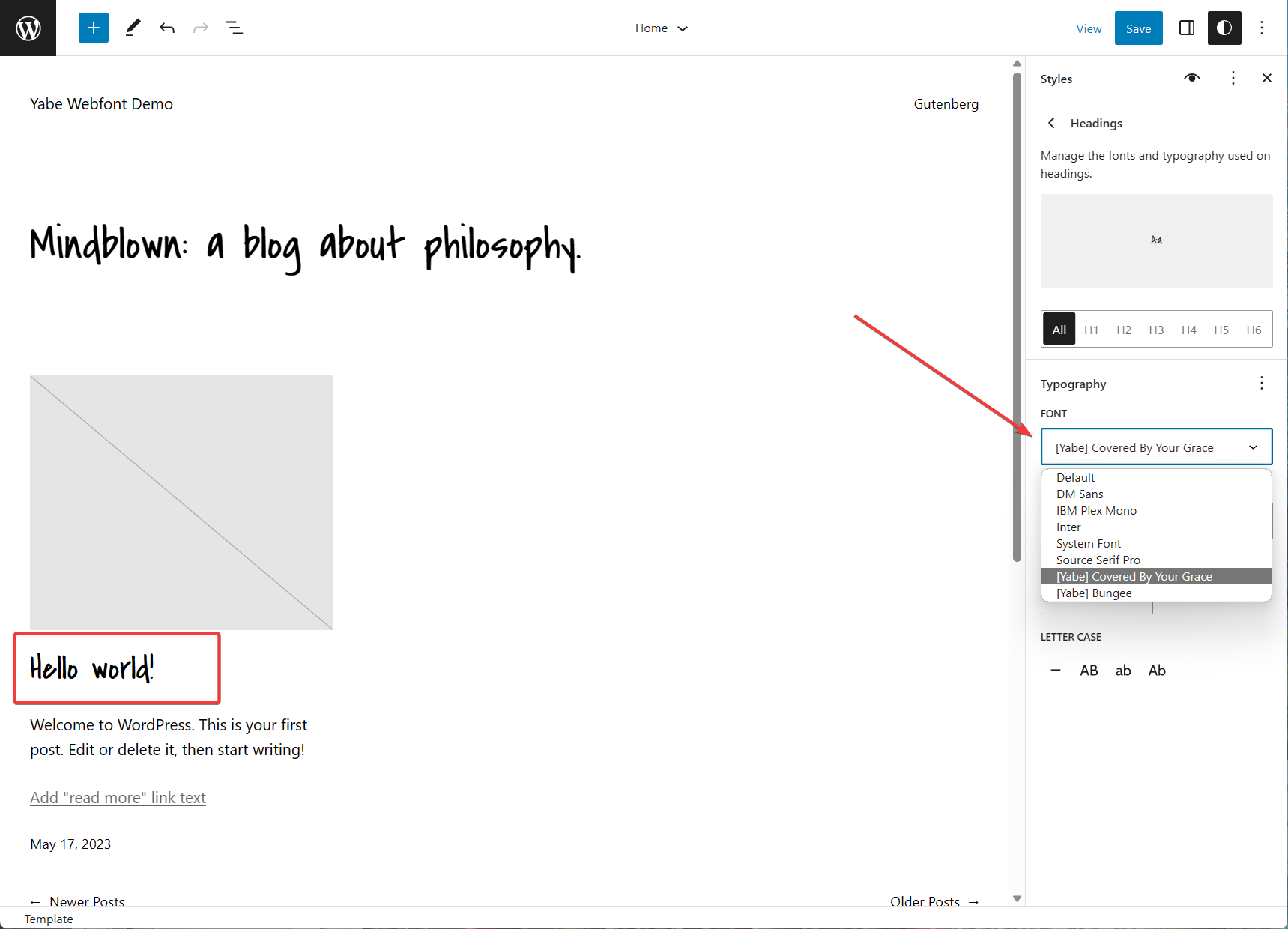
Jooosi Fon also supports custom fonts in the Site Editor, a part of the Gutenberg editor.
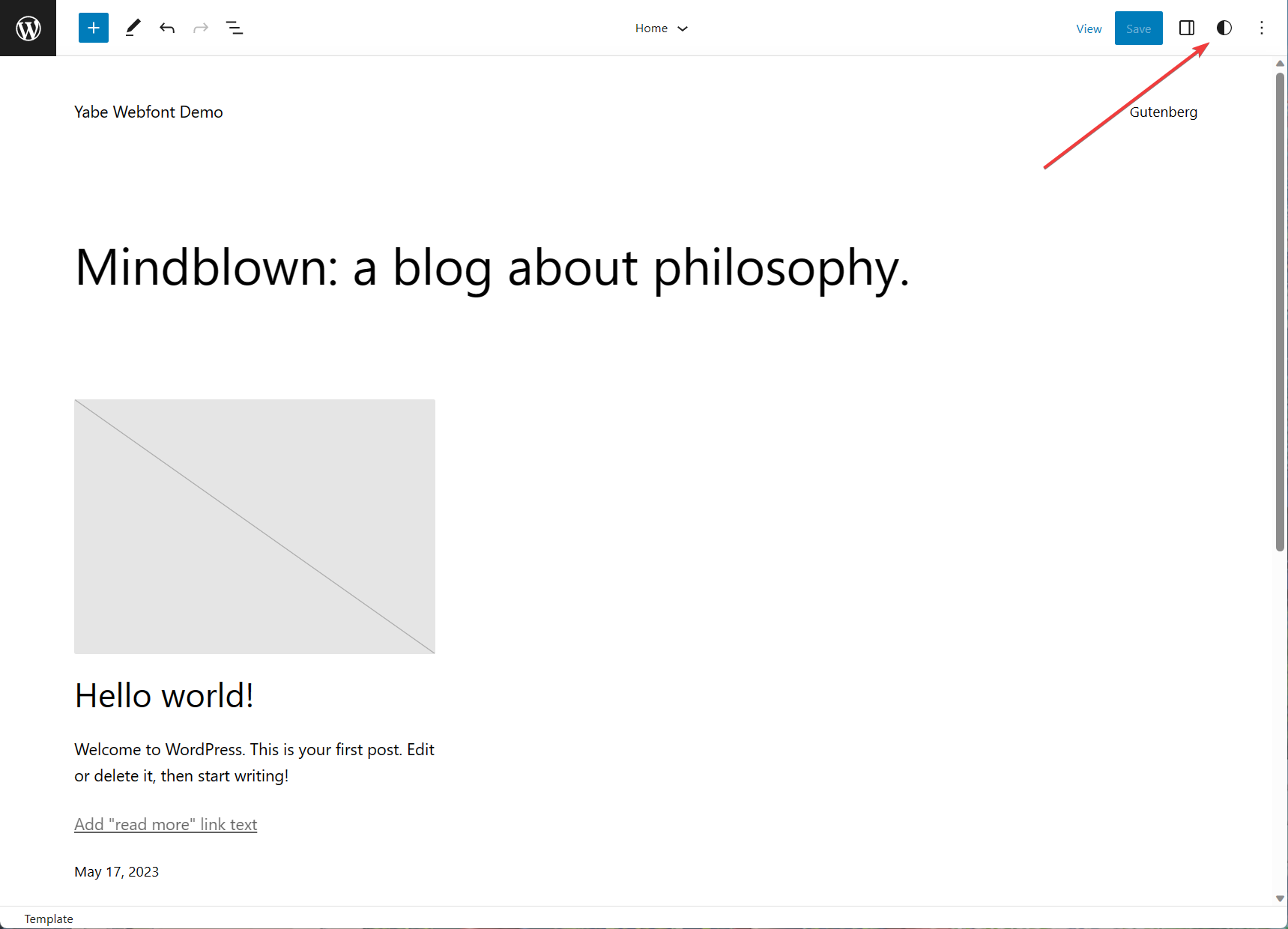
Step 1: Open the Styles setting panel#
On the top right of the screen, click the
Step 2: Choose the Styles profile#
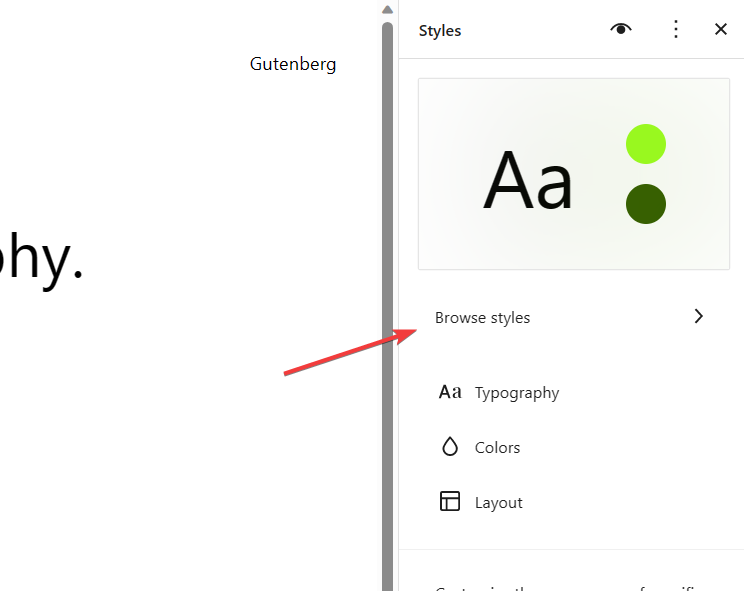
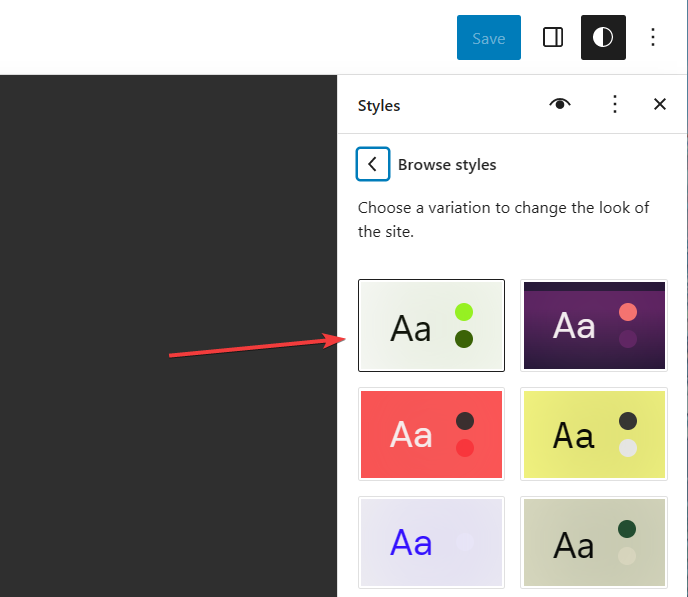
Click the Browse styles menu to open the list of styles profiles, and choose the one you want to use.
Step 3: Typography settings#
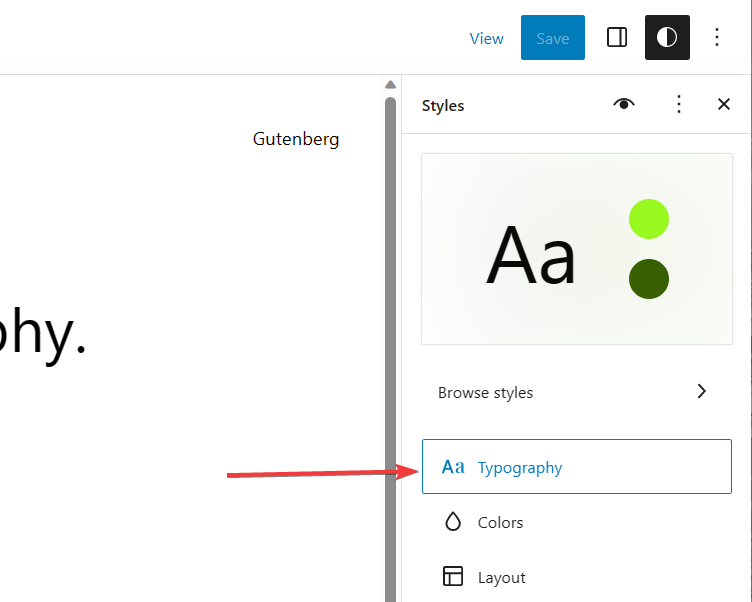
Click the Typography menu to open the typography settings, and choose the element you want to customize.
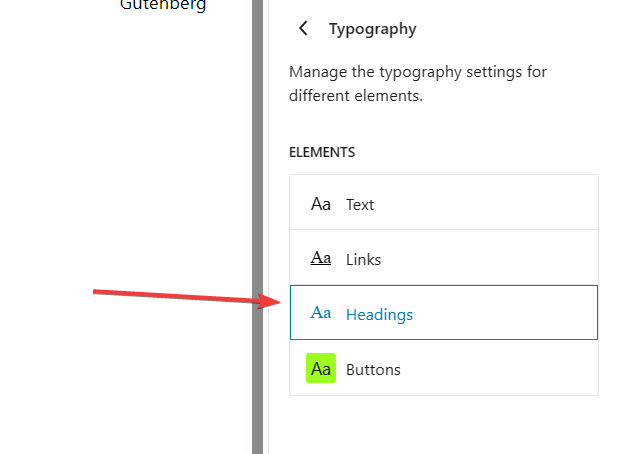
Step 4: Select the font family#
Open the FONT dropdown list, and select the font family you want to use. The element on the canvas will be updated immediately.